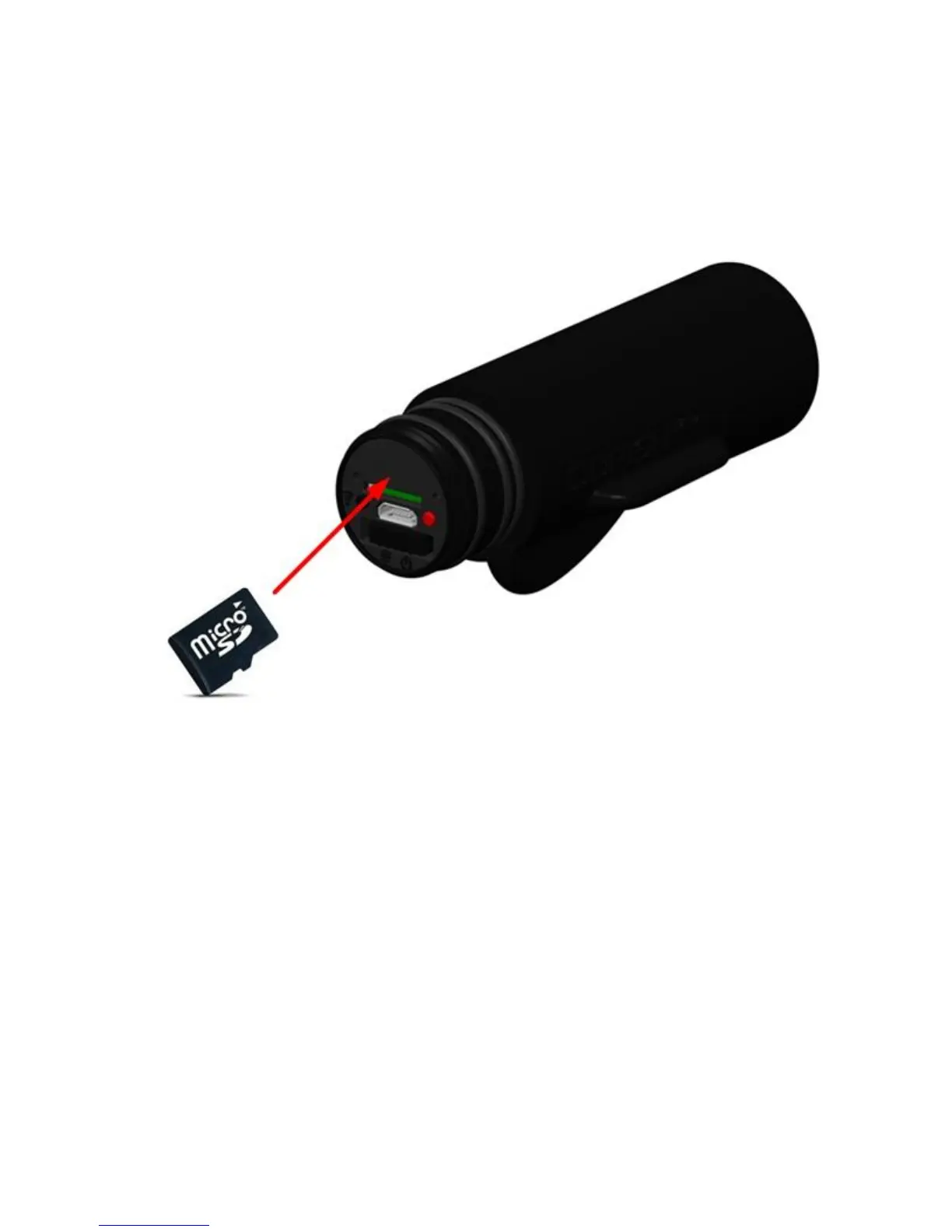
Inserting/Removing a microSD Card
When using a microSD card not supplied from GoFish Cam, or one previously used on other
equipment, for the first time on this unit, format the microSD card. Note: When a microSD card
is formatted, all of the recorded data is deleted. Once the data is deleted, it cannot be restored.
Figure 4
1) Rotate and remove the rear cap to remove it, see page 8 for removal instructions.
2) Turn the unit OFF.
3) Insert (remove) the microSD card into (from) the MicroSD card slot with the terminals
facing down. Push it straight in until it clicks into place. Press the center of the microSD
card and pull it straight out to remove.
4) Replace the rear cap, see page 8 for removal instructions. Make sure the cap is
tightened completely so that water cannot enter the camera.
Please note, do not insert or remove the microSD card when the unit is turned on.
Turn the camera OFF first.


 To Next Page