White Balance
When the color tone does not look natural due to a light source conditions, tap “Auto White
Balance and select the appropriate mode from the list below:
Upside Down
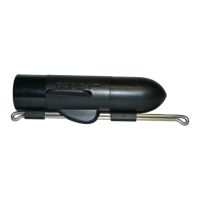
The camera sits on your fishing line with the leader line facing down. If you wish to use the
camera for alternative type filming and would like the camera to film upside down (leader line
facing up) change this setting to ON.
About
This will show you information about the app and the unit. It will display the version number of
your "GoFish Cam App" and the firmware version of your GoFish Cam.
Change WiFi Credentials
This will allow you to change the SSID and password for your GoFish Cam. It is recommended
that you change both of these from their default settings in order to prevent others from
connecting to your GoFish Cam or interfering with other fisherman nearby who are also using a
GoFish Cam.
Format Camera
If you are using a new microSD card in your GoFish Cam or if the card was previously used in
another electronic device, you should format the card in your GoFish Cam for proper operation.


 To Next Page