35
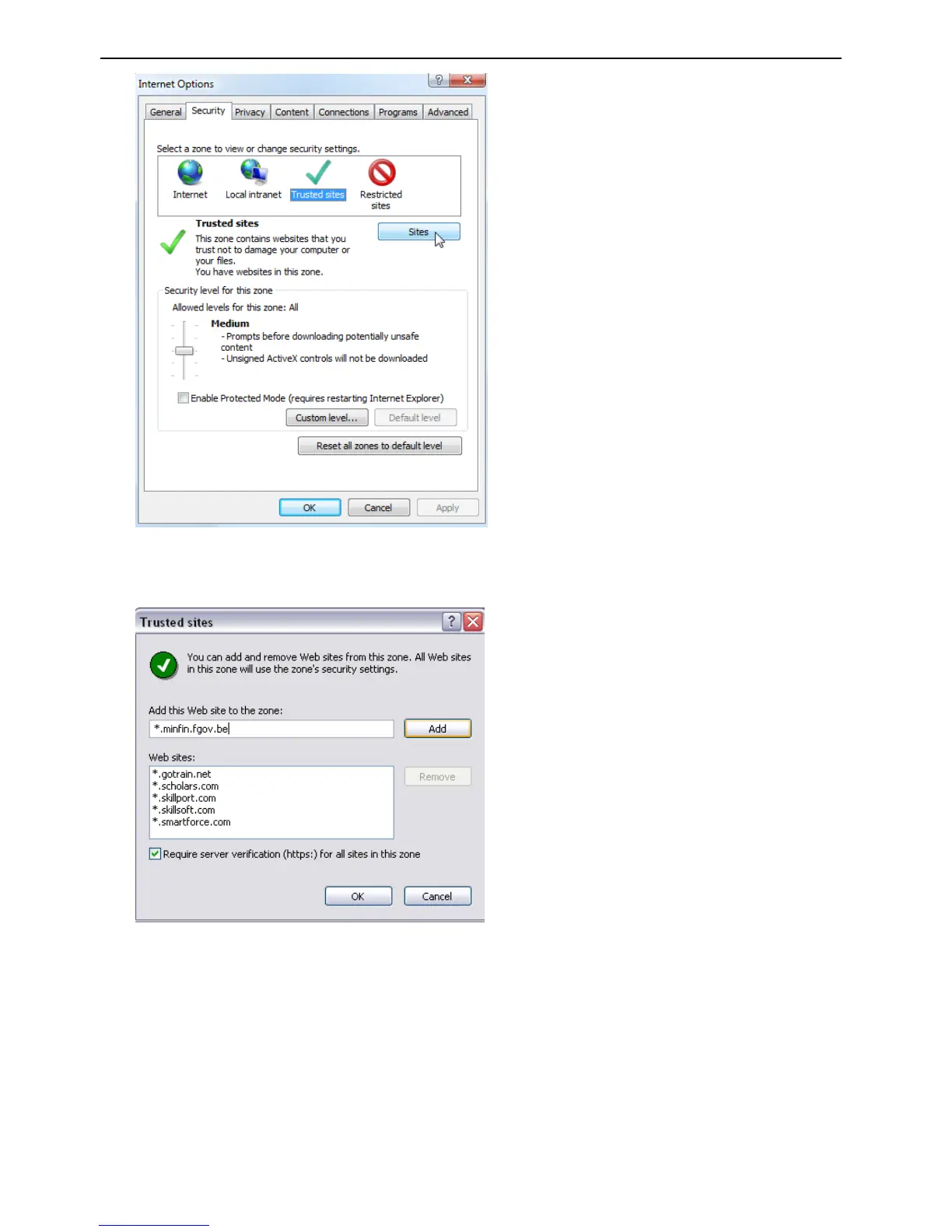
5. Clear the “Require server verification (https:) for all sites in this zone box
6. Enter the IP address in the “Add this website to the zone” field.
7. Click Add, and then click Close
8. Click OK in the Internet Options dialog window.
Access the camera over internet
1. In the web browser enter the camera’s IP address (default is 192.168.1.10), The Login dialog
box appears.


 To Next Page