8
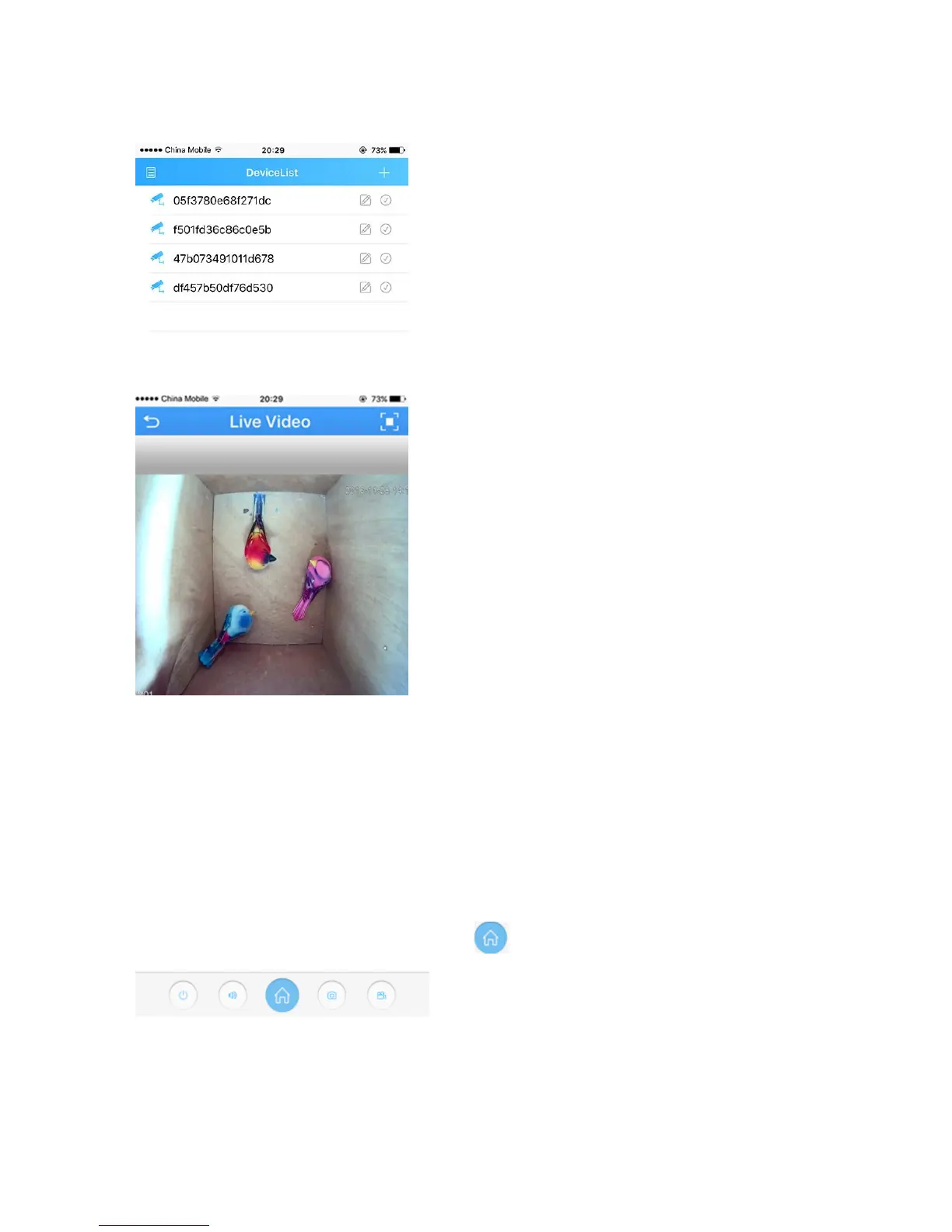
Live view interface
1. Click the camera name in the device list, the live view will display.
2. Press the square icon on the upper right corner to enlarge the video to full screen.
NOTE: The users can zoom in/out on the screen with fingers.
3. Click “SD/HD” to choose the video quality.
NOTE: “SD”: standard definition; “HD”: high definition.
Optional1: How to change the video quality to adapt to low
bandwidth network.
1. In the Live Video page, click the Home icon
2. Touch “Encode” in the menu


 To Next Page