EN
DE
IT
8
| NETWORK SETUP
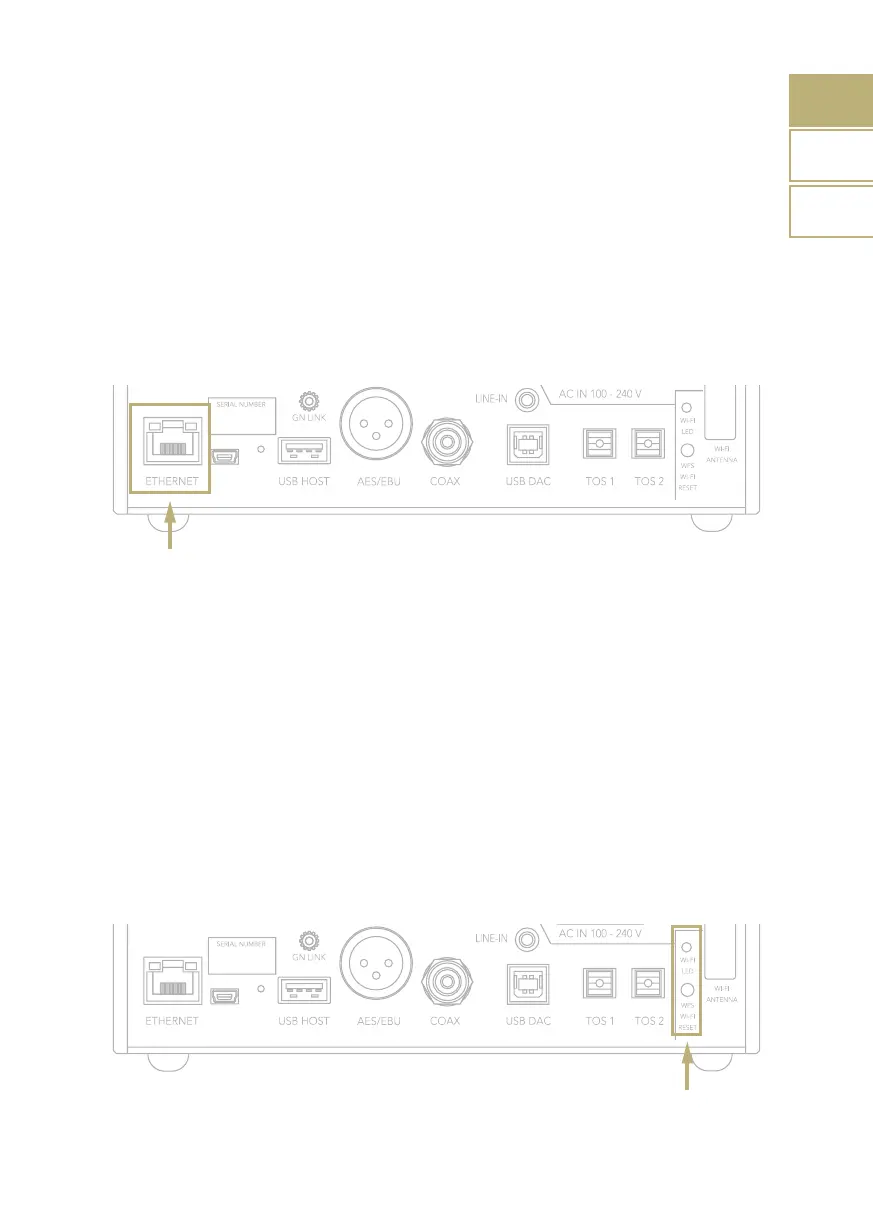
LAN CONNECTION
DS-10 supports both LAN and Wi-Fi
connection.
To use the LAN simply plug the cable into
the Ethernet port on the rear panel and you
are ready to go.
WIFI CONNECTION
The easiest way to connect DS-10 to your
network via Wi-Fi is to use the WPS (Wi-Fi
Protected Setup) function available on DS-10
and your router:
1 Press and hold for about 10 seconds the
Wi-Fi Reset button on the rear panel of
DS-10 and release it when the blue led
start flashing fast.
2 Press the WPS button on your router
(please refer to the instruction manual).
3 Wait until DS-10 automatically connects
to your network.
4 The blue led will turn ON when the DS-10
is connected and ready.



 To Next Page