TB‐0001.IPage8of31
4.1. InstrumentGraphicalUserInterface(GUI)
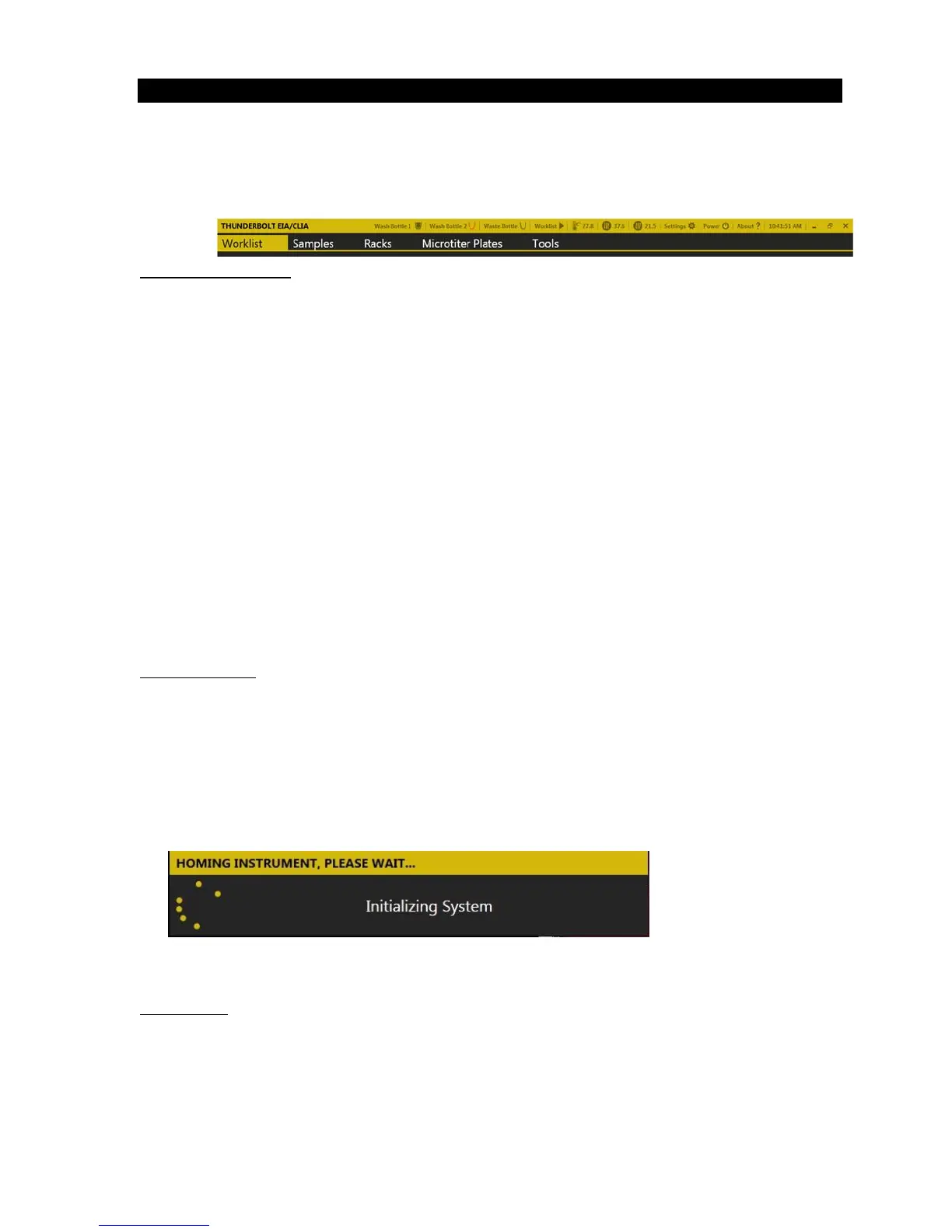
TheinstrumentGraphicalUserInterface(GUI)enablestherunningoftestprotocolsthatare
installedontheThunderBolt.Theinstrumentmustbeattachedtoacomputerprogrammed with
theinstrumentGUIinordertobeoperational.TheinterfacefortheThunderBoltGUIisdesigned
withatitlebarandtabs:
GUI
DocumentFolder
AllrelevantdatarelatedtotheThunder Bolt GUIislocatedintheThunderBoltEIAdocu mentsfolder:
1. Worklist Reports: Data foreach run onthe ThunderBoltis automatically savedin the Worklist
Reportssubfolder.Worklistreports include twofiles for eachrun: a textfile with theworklist
actionlog,
andaPDFcopyoftheworklistreport.Thesefilesare automaticallynamedbythedate
andtimeatwhichtheywererunontheinstrument;additionalnamelabelcanbeaddedbythe
useratthetimeoftherun.Thesefilescanberetrievedatanytime.
2. Worklists
: Worklists, labeled with the same name as the Worklist Reports, are saved in the
Worklistssubfolder.ThesecanbeopenedfromwithintheGUIsoftwareusingtheLoadbutton.
3. Tests:Testfiles(whicharedisplayedintheAddTestdropdownintheGUIsoftware)arestored
in
theTestssubfolder.AnytimetheGUIisnotrunning,testfilescanbeaddedto/removedfrom
thisfolderand/ororganizedintosubfoldersifdesired.
4. Errors :Errorsthatareencounteredduringuseoftheinstru mentarenamedbythedateandtime
atwhichtheyoccurandstoredinthe
Errorssubfolder.
5. ReportTemplates:Anycustomreporttemplates(ifapplicable)arestoredintheReport
Templatessubfolder.
GUIInitialization
1. Verify that computer with installed GUI is attached to the ThunderBolt instrument, power is
connected toinstru mentand tocomputer,and instrumentpowerbuttonis intheonposition.
Turn on computer and click the GUI icon (if GUI does not initialize automatically at computer
startup)toinitializethesystem.
2. Wait for the ThunderBolt to initialize.The instrument requires approximately 30 seconds to
automaticallymovetoitsstarting,or“home” position.Theinstrumentmustalwaysbeallowed
tocompletethis“homing”uninterruptedbeforebeingused:
Afterhoming,theGUIopens.
GUITitleBar
Thefollowingaredisplayed/accessibleintheThunde rBolt GUITitleBar:
1. Wash andWaste Bottle Status Icons: Indicatewhich wash/wastesensorsare enabledand the
liquidlevelofwashandwaste.
2. Worklist Status Icon: Indicates whether instrument is currently running a worklist or if the
instrumentisidle/stopped.
TitleBar→
Tabs


 To Next Page