TB‐0001.IPage9of31
3. TemperatureDisplay:Displaystheinternaltemperatureoftheinstrument. If/whentheincubator
isturnedonduringtherunningofaworklist,temperaturesoftheleftandrightMTPpositionsare
alsodisplayed.
4. Settings:Usedtoselectvarioussoftwareoptions,describedindetailbelow.
5. Power:Usedto
closethesoftwareandshutdowntheinstrument.
6. About:TheversionoftheinstrumentsoftwarecanbefoundbypressingtheAboutbutton .
7. User’sManual:ApdfoftheinstrumentUser’smanualisaccessiblebypressingthisbutton.
8. TimeDisplay: Displays thecurrenttime.
GUISettings
ClickingtheSettingsiconontheTitleBarwillbringuptheSettingswindow,usedtoadjustvarious
settingsforrunningtheinstrumentGUI.
Note:GUISettingsarepasswordprotected.Passwordinformationisavailablefromlocaldistributor.
1. InstrumentInformation:Displaysreaderandinstrumentdetails,includingserialnumberandrun
time.
2. Wash/Waste Bottles: Allows user to turn on/off liquid detection of the wash/waste bottles.
Bottledetection iconsare displayed inthe GUI titlebar.Usercan alsochoosewhether ornot
worklistwillpausewhenthewashbottlesareemptyorthewastebottleisfull.
3. Samples: Sample
Pipetting options allow user to decide what actions will be taken by the
instrumentwheninsufficientsamplevolumeisdetectedorsampleaspirationfails.Theautomatic
skippingoflow‐volumesamplesisavailable.
Incubationsettingallowsimplementationofanoptionalwarningiftheincubatorisoutofrange
ofthe
programmedtemperatureduringaworklistrun(ifincubatorisusedintheworklist).
4. Racks:AllowstheusertoenabletheReagentLoadingWizard,(awindowwhichpromptstheuser
tocheck thevolumeofeachreagentbefore startingaworklist), enable/disableintelligent rack
andtubedetection,andsetreagent
rack’s(andintelligentracks’,ifapplicable)size/definition.
5. Reports: Allows user to select custom laboratory information and logo for worklist reports.
Optionsfor customreporttemplatesarealso available.Defaultreporttemplateand GSDlogo
willbeusedonworklistreportsifnochangesaremade.ContactlocalThunderBoltdistributor
if
additionalinformationaboutcustomreportoptionsisrequired.
6. LIS Communication: LIS connection options are set here (described in further detail in the LIS
Configurationsectionofthismanual).
7. LISTestMappings:AssigningofLIStestIDstoinstrumenttestnamesisperformedhere(described
infurtherdetail
intheLISConfigurationsectionofthismanual).
8. Sounds: Allows userto decidewhich alarmsare enabled and toselect whichsoundsare used.
Additionalcustomalarmsounds(asWAVfiles)maybeaddedtothecomputerforselectionhere.
9. Languages:UsercanselectGUIdisplaylanguage
here.
10. TouchScreen:Allowstheusertoturnon/offtheonscreenkeyboardforusewithtouchscreens.
Note:SoftwaremustberestartedbeforesomeSettingsselectionchangesareapplied.TheGUI
indicateswhenanapplicablesettingischangedthatrequiresasoftwarerestartbeforetakingeffect.
4.2. OtherSoftwareApplications
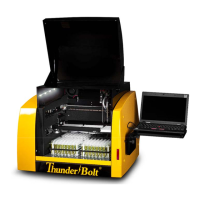
OtherThunderBoltsoftwareapplications areavailablefromGoldStandardDiagnosticsforprotocol
designandservicepurposes.Theseareprovidedtoandcanonlybeusedbytrainedservice
technicians.


 To Next Page