Need help?
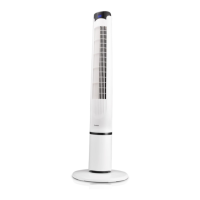
Do you have a question about the Goldair Platinum GPTF390 and is the answer not in the manual?
Essential safety instructions for user operation, handling, and environmental considerations.
Additional safety points covering usage, cleaning, and electrical precautions.
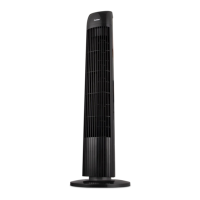
Details on model, power supply, and wattage for the fan.
Critical safety warnings regarding the ingestion of coin-type batteries, with emergency advice.
Step-by-step guide for assembling the fan's base and connecting components.
Explanation of manual controls including Power, Speed, Mode, Timer, and Oscillation functions.
Steps to download and install the Goldair mobile application on your smartphone.
Guidance on registering an account via email or phone and agreeing to privacy policies.
Instructions for entering verification codes and creating a secure password for app access.
Setting up family profiles, rooms, and device locations within the mobile application.
Steps to connect the tower fan to your WiFi network and the Goldair mobile app.
Details on selecting WiFi network and entering the password for device pairing.
How to turn the fan on and off using the mobile application's power control.
Operating fan modes (Normal, Natural, Sleep, Child) and adjusting speed settings via the app.
Setting and cancelling the fan's timer function using the mobile application.
Process for adding multiple fans and connecting them to WiFi networks.
Instructions for renaming fans and sharing control with other users.
Instructions for cleaning the fan and contact information for service or repair.
Details on the two-year warranty, exclusions, and how to verify your warranty.
 General
| Type | Tower Fan |
|---|---|
| Model | GPTF390 |
| Power | 45W |
| Speed Settings | 3 |
| Oscillation | Yes |
| Remote Control | Yes |
| Voltage | 220-240V |
| Frequency | 50Hz |


 To Next Page