4.4 TV/Radio Switching
While in full screen playing state, press TV/RADIO key to switch between the TV mode and
the Radio mode.
4.5 Channel Switching
The system provides many methods to switch channels. See the descriptions below:
Method 1: While in full screen playing state, press Up/Down keys to play the next or
previous TV program channels or radio stations.
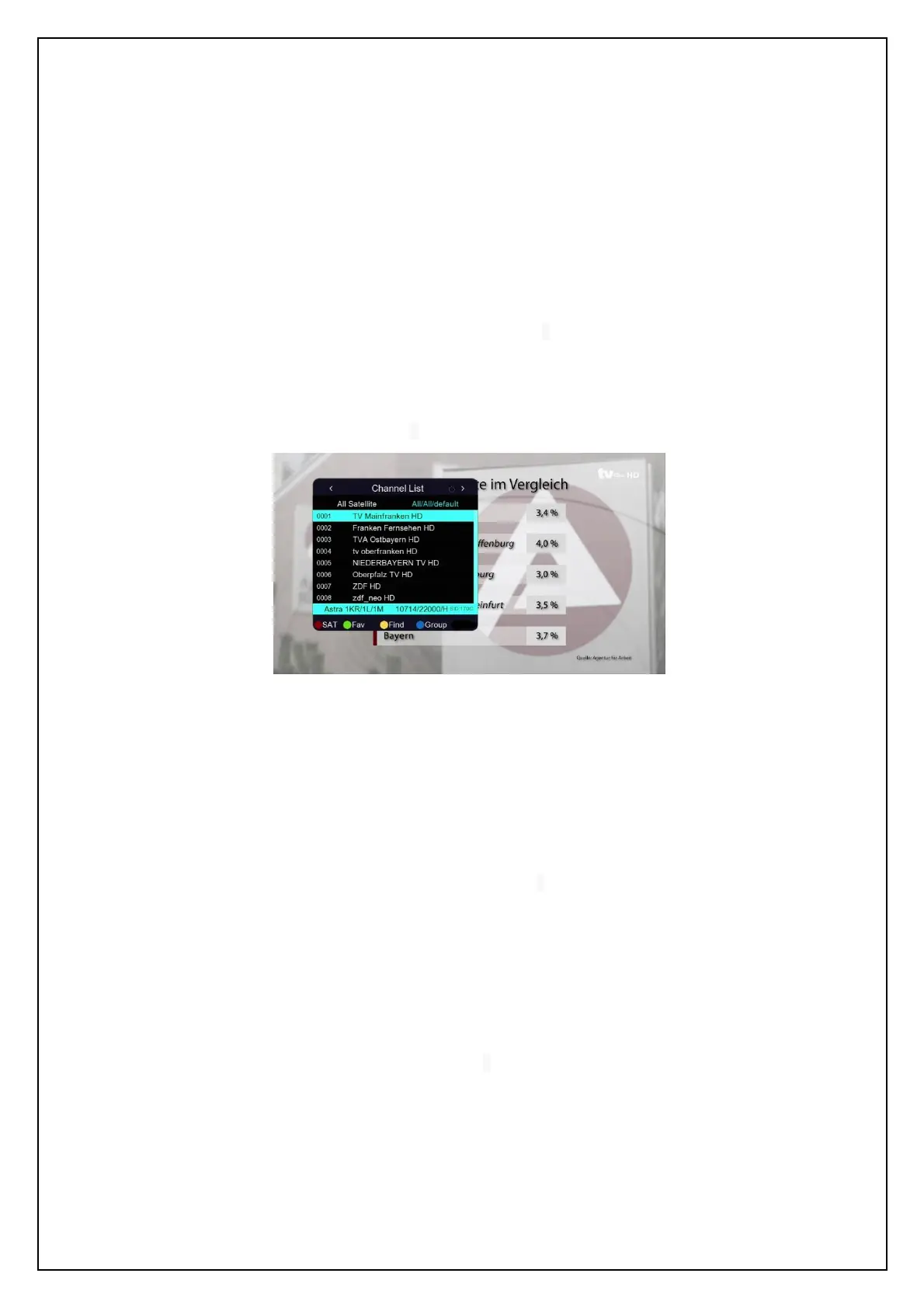
Method 2: While in full screen playing state, press OK key to enter the Channel List
menu (see the figure below) to quickly select a channel you want to play. In which you
can press LEFT/RIGHT keys to select a channel group and then press UP/DOWN keys
to choose a desired channel.
Channel List for quick select
Press OK key to confirm your selection and switch to the selected channel to play.
Pressing EXIT key can exit the menu.
Method 3: Press number keys to input the number of the channel you want to play
Method 4: Press the RED function key to select another satellite to play
Method 5: If you have set favourite programs, press the green function key and a
favourite list will appear. At this point, you can press UP/DOWN keys to select a Fav item
and then press OK key to enter its program list.
Pressing EXIT key can exit the menu.
Method 6: Press the yellow function key while in the state of 0, and you can search for a
channel by name.
Press UP/DOWN/LEFT/RIGHT keys to select a character and then press OK key to
input. When you have finished inputting a channel name, press the blue function key to
confirm your input. (Pressing the red function key can change case. Number keys
cannot be used to input numbers here.)
Method 7: Press the blue function key and the channel group list appears, which
includes free, scramble and so on.


 To Next Page