Standby: The system will enter the standby mode when the scheduled time is
reached.
AD Record, Subtitle Record, Teletext Record: Set whether to record AD, TTX and
Subtitle or not. Available only when the Type item is set as ‘Recorder’.
8 RECORD & TIMESHIFT
8.1 Record
In full screen mode, if you want to record the being-played program, just press REC key.
If there is no USB device or card inserted, corresponding message will appear:
“No Storage Device”
If there has been a USB device or card, the system will initialize the USB device or card
and then start to record.
During recording, to pause the recording, press PAUSE key.
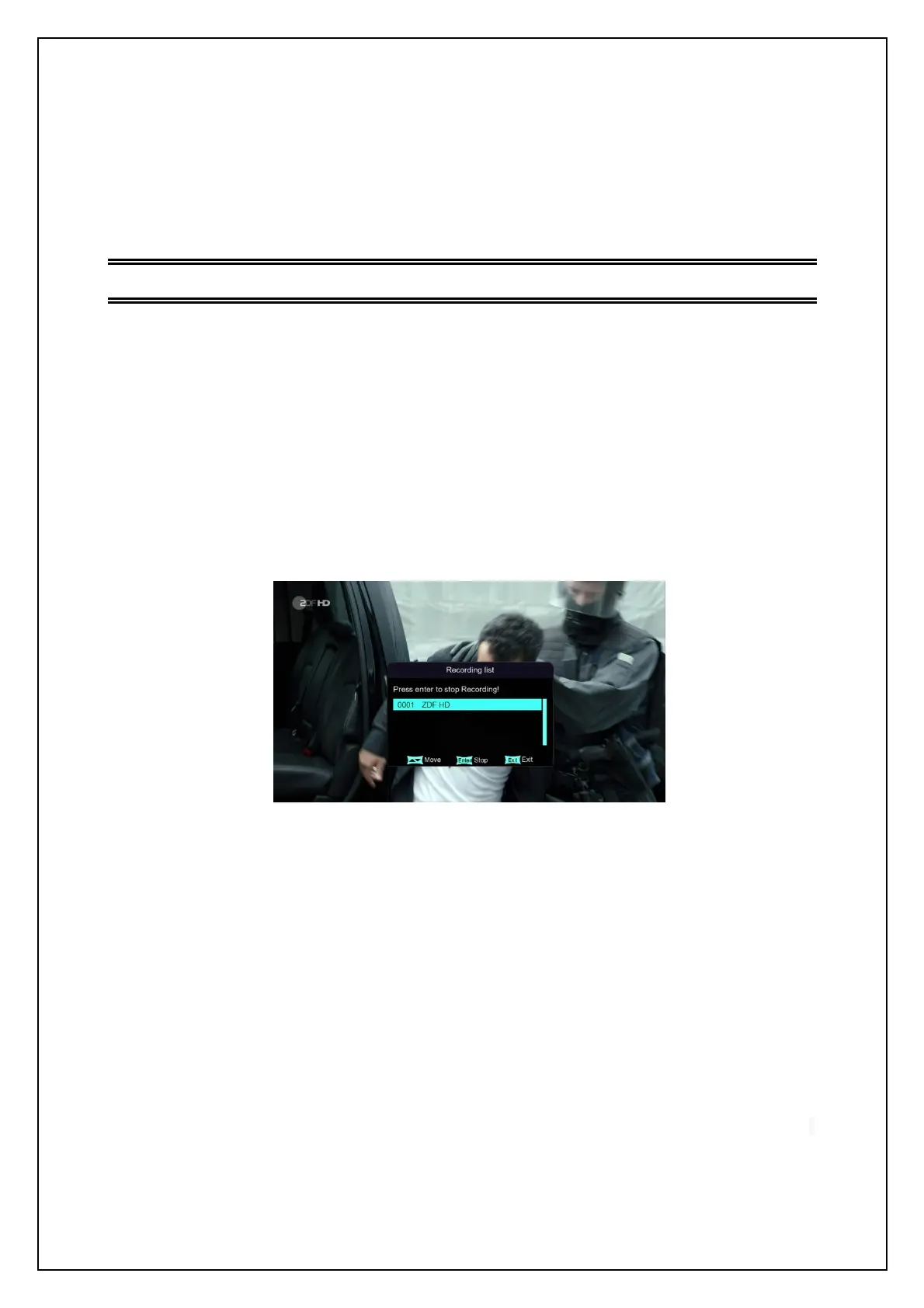
During recording, to stop recording, press STOP key. A confirmation dialog will appear.
See the figure below.
Stop Recording
During recording, pressing INFO key can show the recording information. Pressing
INFO key again will show the record file list.
8.2 Timeshift
The Timeshift function is to play the programs that have already been played just before. At
present there are three methods to start the Timeshift function, which can be set through
Main Menu -> Preference -> PVR Config.
Three options of the Timeshift item:
Auto: Auto start the Timeshift function 5 seconds after entering any channel.
Pause: During full-screen playing, press PAUSE key to start the Timeshift function.
Off: During program recording, press PAUSE or FR keys to start the Timeshift function.


 To Next Page