3
Safety Guidelines
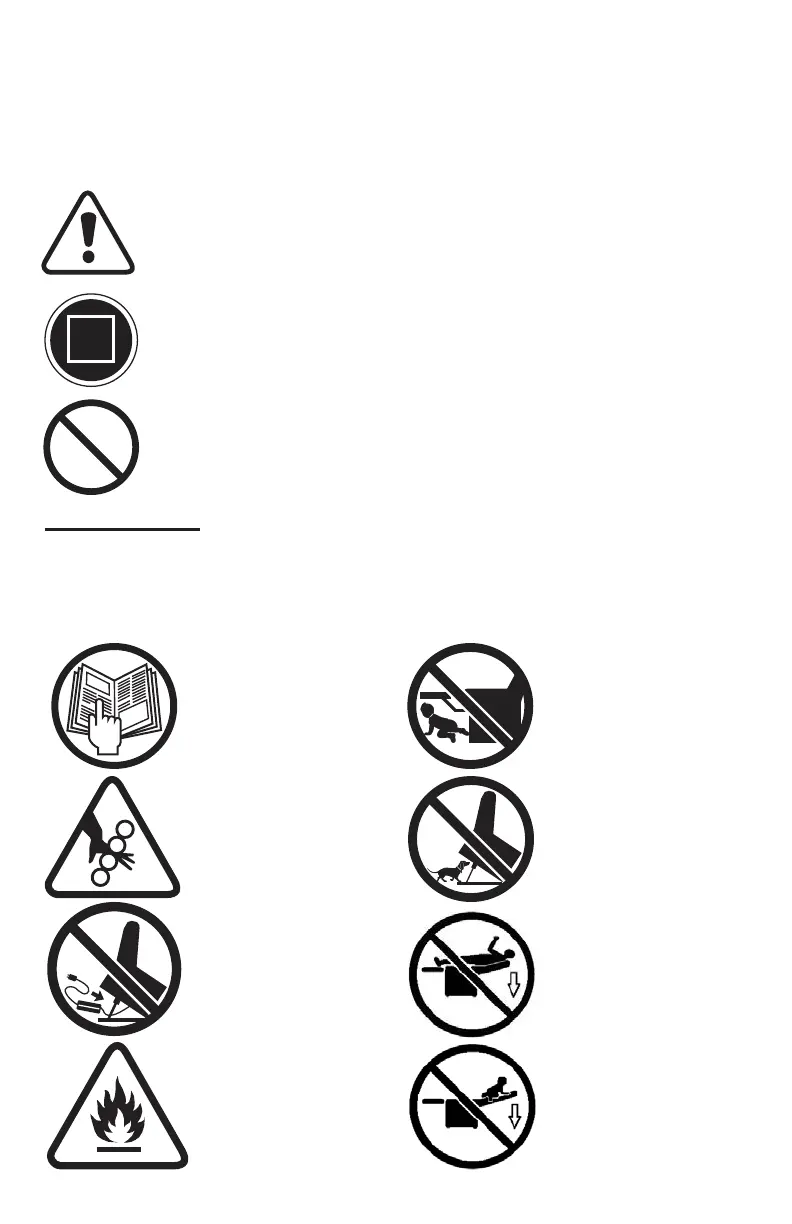
The symbols below are used in the owner’s manual and/or on the product
to identify warnings and notify you of important safety information. Make sure
you read and understand them completely.
WARNING! Indicate(s) a hazardous situation which, if not
avoided, could result in death or serious injury. This icon is
represented as a black symbol on a yellow triangle with a
black border.
MANDATORY! Failure to perform mandatory actions could
cause personal injury and/or equipment damage. This icon
is represented as a white symbol on a blue dot with a white
border.
PROHIBITED! Indicate(s) an action(s) that should not be
performed under any circumstance. Failure to adhere could
cause personal injury and/or equipment damage. This icon is
represented
as a black symbol with a red circle and red slash.
Safety Symbols
The symbols below identify warnings, mandatory actions, and prohibited
actions. They can be found in the owner’s manual and/or on the product. Make
sure you understand all safety labels before operating the product. Do not remove
safety labels from your product.
Read and follow
owner’s manual!
Pinch/Crush Point
Hazard!
Transformer
Crush Hazard!
Fire Hazard!
Child and/or Pet
Crush Hazard!
Adult, Child and/
or Pet Tip Over
Hazard!
continued on next page



 To Next Page