4
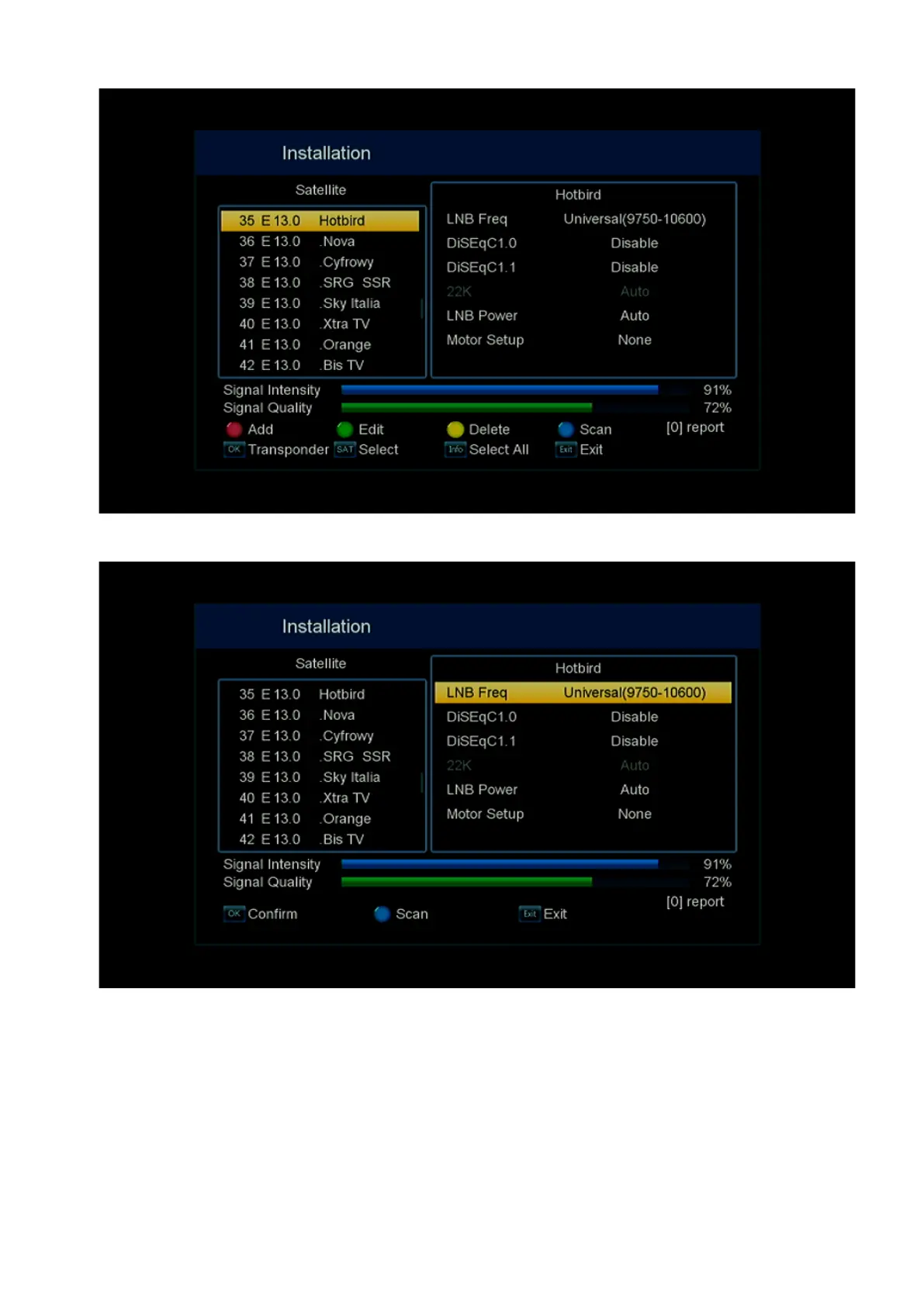
Then, using the button to the right, you go to the LNB settings.
If necessary, you can change the following parameters in the LNB settings:
LNB Frequency – indicates the frequency or frequencies of the LNB local oscillators;
DiSEqC1.0 – using the DiSEqC 1.0/2.0 version, you need to put the port with the connected
LNB. Otherwise, the value remains – Disable;
DiSEqC1.1 – using the DiSEqC 1.1/2.1 version, you need to put the port with the connected
LNB. Otherwise, the value remains – Disable;


 To Next Page