Need help?
Do you have a question about the Goldtouch Adjustable Keyboard and is the answer not in the manual?
Advice on using the keyboard to prevent musculoskeletal injuries and manage discomfort.
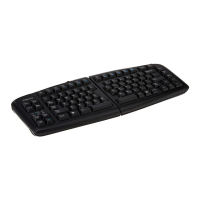
Details the adjustable ergonomic features of the Goldtouch keyboard for user comfort.
Instructions for connecting the keyboard via PS/2 and USB, including specific scenarios.
Explains the patented adjustment mechanism for tailoring keyboard segments to user comfort.
Guidance on adjusting the keyboard's horizontal splay to reduce ulnar deviation.
Instructions for adjusting the keyboard's vertical inclination to reduce pronation.
Addresses avoiding wrist extension and adapting the workstation for better posture.
Details the functionality of the integrated numeric keypad and function lock.
Tips for optimizing workspace layout to improve comfort, productivity, and efficiency.
Guidance on setting chair and desk heights for a neutral, relaxed posture.
Advice on maintaining posture and the importance of taking frequent rest breaks.
Recommendations for proper lighting and monitor setup to reduce eyestrain.
 General
| Type | Ergonomic |
|---|---|
| Key Switch Type | Membrane |
| Key Layout | QWERTY |
| Material | Plastic |
| Color | Black |
| Connectivity | Wired |
| Compatibility | Mac |


 To Next Page