Need help?
Do you have a question about the Goldtouch Go!2 GTP-0044W and is the answer not in the manual?
Validate Bluetooth Radio Drivers and function in Device Manager.
Ensure the Bluetooth radio is not set to turn off to save power in Device Manager.
Ensure keyboard devices are allowed to wake the computer in Device Manager.
Follow numbered steps to connect and pair the GTP-0044W keyboard with the computer.
Ensure Bluetooth devices are allowed to wake the Mac in System Preferences.
Perform SMC and PRAM resets for Bluetooth issues on Mac.
Follow specific steps for pairing on a Mac, ensuring correct discovery mode.
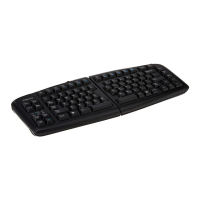
The Goldtouch Go!2 Mobile Bluetooth Keyboard (GTP-0044W) is a wireless input device designed for enhanced productivity and ergonomic comfort. It utilizes Bluetooth technology, a short-range wireless standard, to connect seamlessly with multiple computers, other input devices, mobile phones, and handheld devices, eliminating the need for physical cables. This allows for a clutter-free workspace and increased portability.
The primary function of the GTP-0044W keyboard is to provide a comfortable and efficient typing experience across various devices. It acts as a standard keyboard, enabling users to input text, commands, and navigate interfaces on their connected systems. The Bluetooth connectivity ensures a reliable wireless link, making it suitable for both desktop and mobile computing environments.
To connect the GTP-0044W keyboard to a PC, users must first ensure that Bluetooth is enabled on their computer. The pairing process requires checking the device's Bluetooth receiver and ensuring the latest Bluetooth Radio Drivers are installed. This can be verified by accessing the Device Manager in the Control Panel. Under "Bluetooth Radios," users should see either an OEM Bluetooth Radio (e.g., Intel, Broadcom) if their system has integrated Bluetooth, or a "Generic Bluetooth Driver" if a Bluetooth Dongle is connected. It is crucial to use only one Bluetooth receiver to avoid interference. If native Bluetooth is not available, an optional Goldtouch Bluetooth USB Dongle can be purchased, but it should not be used if the computer already has native Bluetooth.
Before pairing, users should validate their Bluetooth Driver by visiting their OEM manufacturer's support site, selecting their computer's make and model, and installing the appropriate driver. A system restart is recommended after driver updates. It's important to note that Windows Update or generic driver searches may not identify the correct OEM drivers.
During the pairing process, users must ensure that the "Allow this computer to turn off this device to save power" option is NOT checked for the Bluetooth Radio in Device Manager. This setting can interfere with the keyboard's functionality.
After successful pairing, users should check the "Keyboard devices" section in Device Manager. If multiple keyboards are listed, ensure that all devices under this section are set to "Allow This Device to Wake the computer." For Windows 10 users, this option might not be visible under "Mouse and other pointing devices" due to changes in input device behavior, as devices typically reconnect by default. However, for Windows 7 or 8/8.1, this option should be checked.
For Mac users experiencing Bluetooth disconnects or other issues, troubleshooting often involves checking Bluetooth settings or performing an SMC (System Management Controller) and PRAM (Parameter RAM) reset.
An SMC reset is recommended if the Bluetooth device is not working properly, especially after upgrading OSX versions (Mavericks, Yosemite, El Cap, Sierra). This reset can resolve issues like multiple characters, unresponsiveness, frequent disconnects, or sluggish performance. It resets hardware, driver software, and corrects hardware-related problems. The specific SMC reset procedure varies depending on the Mac model and battery type:
A PRAM reset is also recommended if the Bluetooth device is not working properly. This reset can resolve issues with sound volume, display resolution, startup disk selection, or time zone settings that may have been reset.
In rare cases where SMC and PRAM resets do not resolve Bluetooth issues, users may need to trash their Bluetooth Preferences.
It is crucial that any third-party wireless device (not made by Apple) is in pairing mode before the Mac is put into discovery mode. Initiating discovery mode on the Mac prior to activating pairing on the keyboard can lead to random and unpredictable results.
If issues persist after following all outlined steps, including disconnects, repeating characters, or unresponsiveness, users are advised to contact Goldtouch support via email.
 General
| Product Name | Goldtouch Go!2 |
|---|---|
| Model Number | GTP-0044W |
| Key Switch Type | Scissor Switch |
| Battery Type | Rechargeable Lithium-Ion |
| Charging Port | Micro USB |
| Color | Black |
| Connectivity | Bluetooth |
| Compatibility | Windows, macOS |
| Keyboard Layout | QWERTY |
| Included Accessories | USB Charging Cable |


 To Next Page