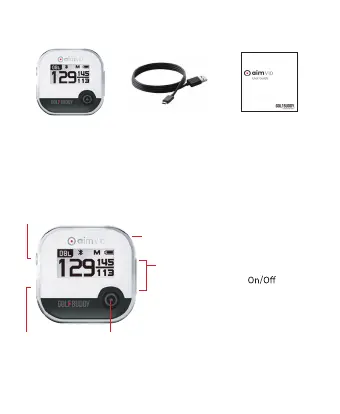
What’s Included
Overview of GOLFBUDDY aim V10
Volume/Navigate
USB Port
OK
Power
Mode/Back
• Power Button: Power & Current
Time
• Mode/Back Button : Menu & Previous
Page
• OK Button : Voice Guidance & Select
• +/- Button : Volume Control, Hole
Change
※ Hole Change : Push and hold + or - button
for 3 seconds to change to next or
previous hole
aim V10
USB Cable
(Micro 5pin)
Quick Start Guide



 To Next Page