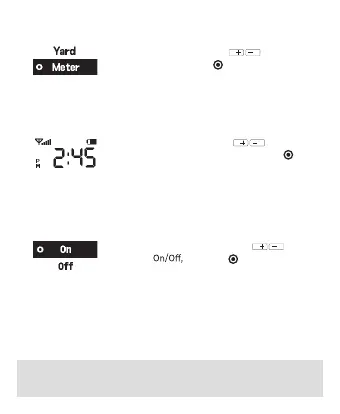
▶ Meter / Yard Unit Change
• ‘Setting’ → ‘Unit’ and use to choose
Meter/Yard, and press
to complete
※ Please visit (www.golfbuddy.com) for more information on downloading the app and Bluetooth
pairing
※ Download and install ‘GOLFBUDDY Smart’ app from Play Store or App Store
▶ Bluetooth
※ Turn on the Bluetooth to pair the aim V10 with mobile
device
• ‘Setting’ → ‘Bluetooth’ and use to
choose
and press to complete
[Bluetooth Pairing]
1. Start GOLFBUDDY App. from your mobile device
2. Login and press ‘Find My GOLFBUDDY from the menu
3. Select aim V10 from the menu to complete
▶ Time Setting
※ AM/PM will change automatically based on 12 hour
system
• ‘Setting’ → ‘Time’ and use to change
to desired hour and minute, and press
to
complete



 To Next Page