Auto-Off Alert:
The LD2 watch features a battery-preserving “Auto-O” setting that
is active in Play Golf Mode. The Auto-O is preset for 5 hours; once 5
hours in Play Golf Mode (GPS) has passed, the user will see a “pop-
up” message indicating Auto-O, providing the user the option to
either continue playing or to exit the round. The message will remain
on-screen for 15 minutes and if no selection is made within that time
frame, the device will exit Play Golf Mode, power o the GPS module,
and return to the home (time) screen.
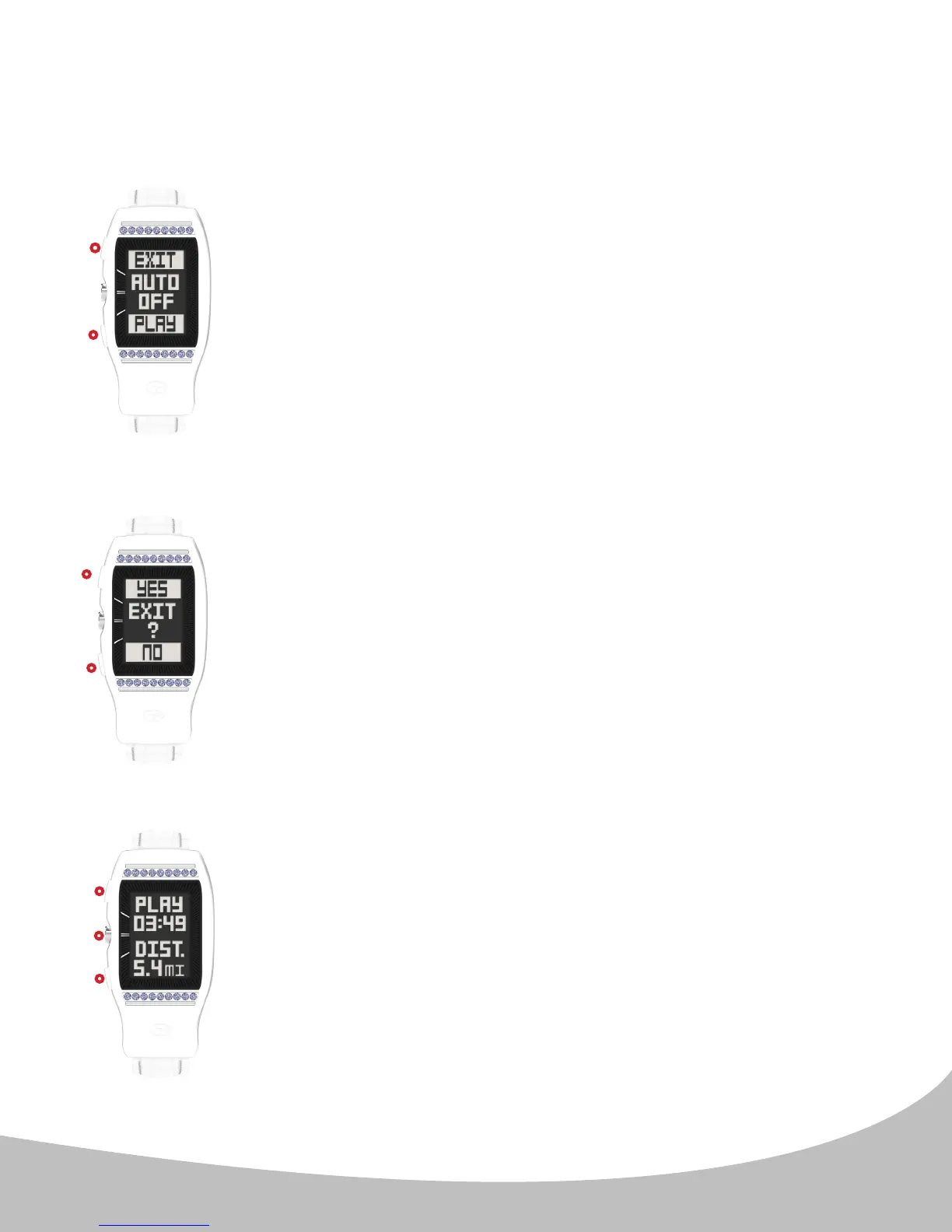
When the Auto-O message is displayed (image N.) to the left, press
the upper button ( I. ) to Exit the game, or press the lower button
( III. ) to resume Play Golf Mode.
Upon exiting a round of golf, the LD2 will display an end of
round summary (image P. ) showing total round time and total
distance traveled while on the course. This message displays for
15 seconds, then returns to the home time screen. Alternately,
pressing any button ( I., II., or III. ) will return to the home (time)
screen immediately.
End of Round Summary:
5. GOLF MODE (continued)
11
II.
III.
I.
III.
I.
When Exit Game is selected, the LD2 will display a prompt (image O.)
to conrm your selection. Press the upper button ( I. ) to conrm
your selection. You will then see the End of Round Summary (see
End of Round Summary section below).
Alternately, press the lower button ( III. ) to return to Golf Mode.
III.
I.
Conrm Exit Round:
N.
O.
P.


 To Next Page