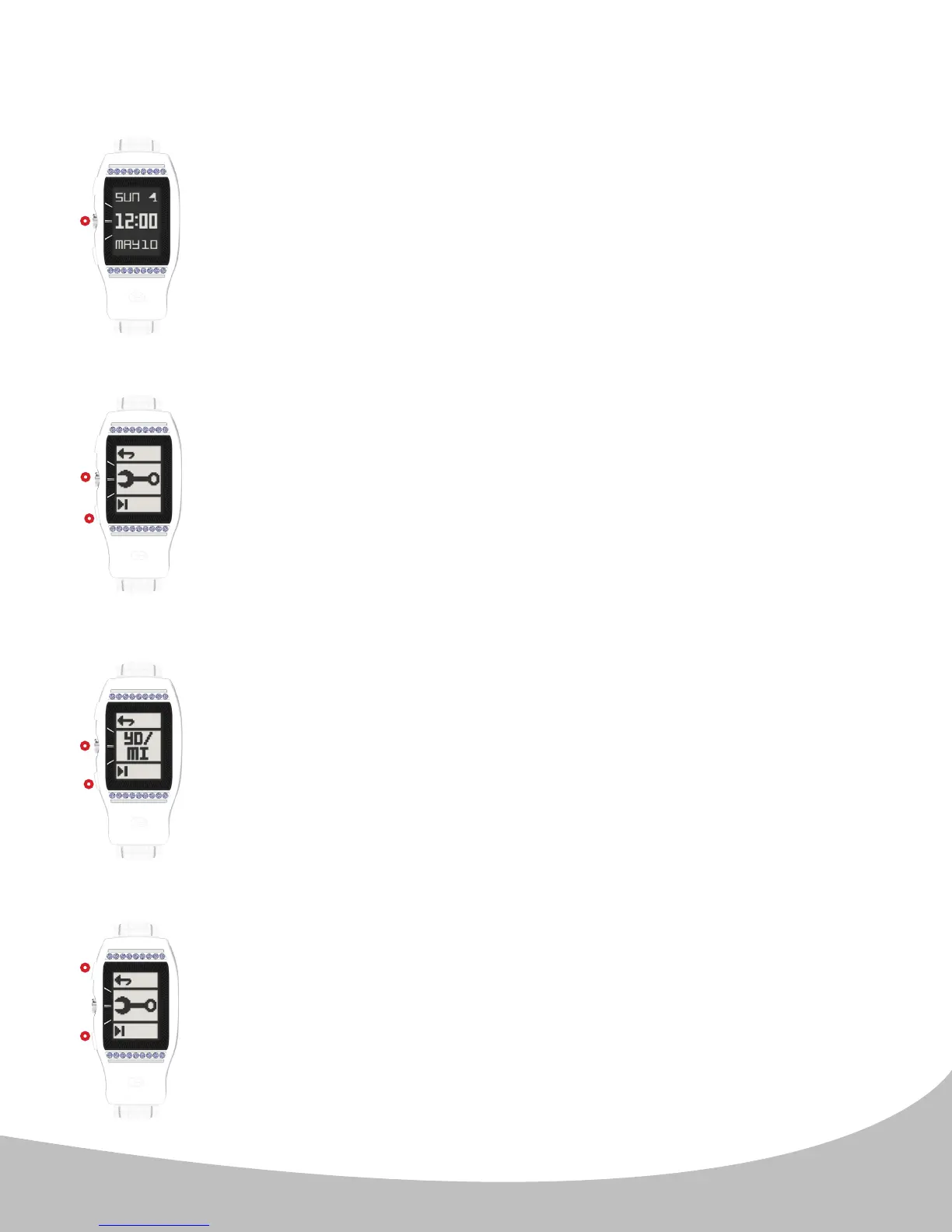
To set the Units of Measurement (aecting Golf Mode and Odometer),
access the Main Menu from the Home (time) screen (image A.) by
pressing the center button ( II. ).
From the Main Menu press the lower ( III. ) button until the Wrench
Icon (image B.) appears. Press the center ( II. ) button to enter the
Units of Measurement Settings.
(Image C.) Use the lower button ( III. ) to scroll through the measurement
options. Conrm the setting by pressing the center button ( II. ). This
will return to the Home (time) screen.
Note: The top eld (YD or M) is the Golf unit of measurement setting,
and the bottom eld (MI or KM) is the Odometer unit of measurement
setting. The default setting is YD/MI. Other options include YD/KM,
M/KM, and M/MI.
After your selection has been made the LD2 will return to the Main
Menu (image D.). Use the upper button ( I. ) to exit the Main Menu
and return to the Home (time) screen, or use the lower button ( II. ) to
navigate to another menu option.
7
4. UNITS OF MEASUREMENT (METERS/YARDS, KILOMETERS/MILES)
II.
II.
II.
III.
III.
I.
A.
B.
C.
D.
II.


 To Next Page