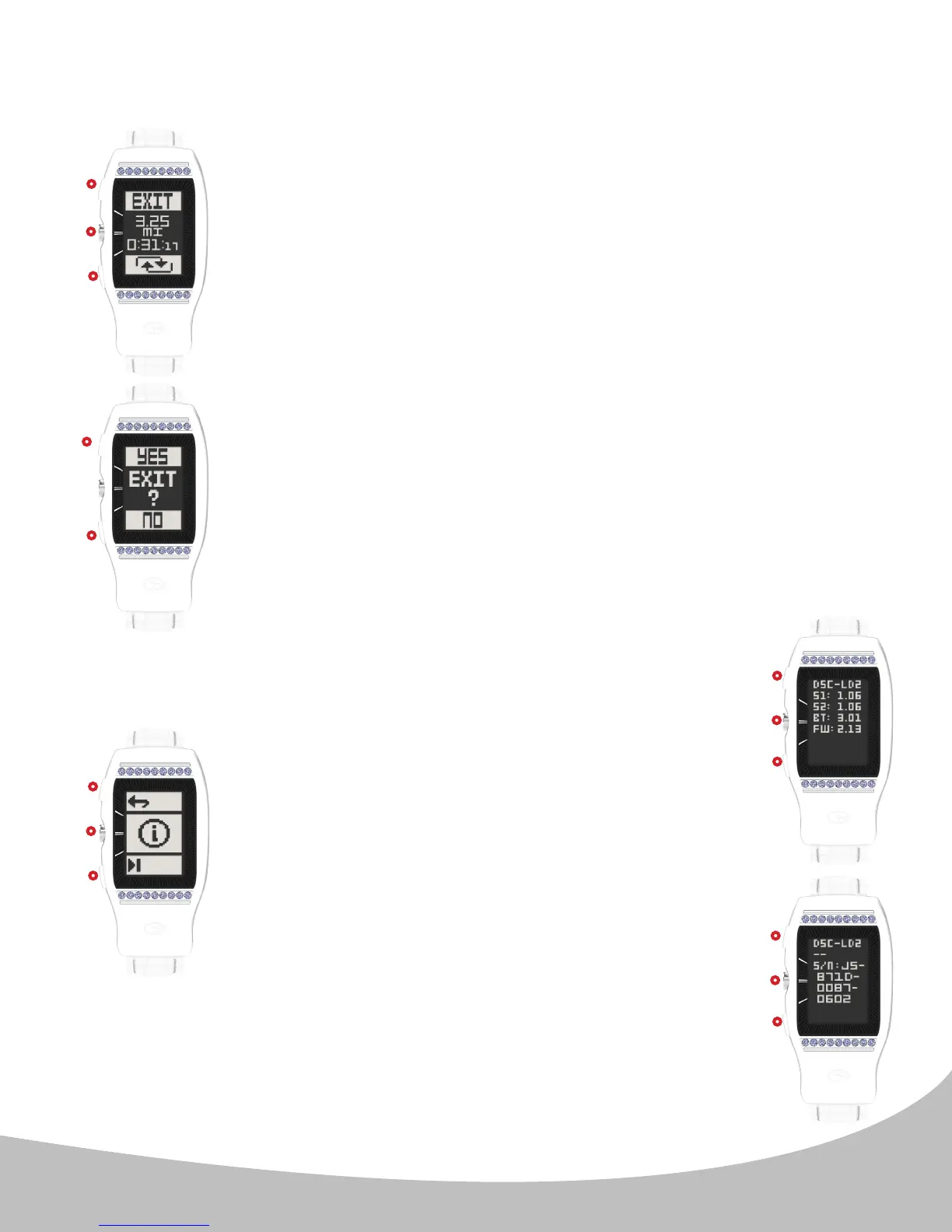
When paused (image E.), the Odometer displays the Exit and
Reset indicators, along with the paused distance and activity
time fields. Press the upper button ( I. ) to exit the Odometer
feature. Press the center button ( II. ) to resume the Odometer
feature. Press the lower button ( III. ) to reset the Odometer
feature (zero-out Distance & Activity Time fields).
Note: When paused, mileage and activity time do not continue
to accumulate.
When Exit is selected, the LD2 will display a prompt (image F.) to
conrm the selection. Press the upper button ( I. ) to conrm and
return to the Home (time) screen. Press the lower button ( III. ) to
cancel and return to the Odometer.
To access the Device Information screen, see below:
From the Main Menu, scroll to the Information icon
(image G.) by using the lower button ( III. ) Select
the Information icon with the center button ( II. ).
The device Information screens (images H. and I.)
display the following information:
- Info Screen 1 (image H.): Model Number, Technical
Specications, Firmware Version, & Course data
base version
- Info Screen 2 (image I.): Model Number & Serial
Number
When on Info Screen 1, press any button ( I., II., or
III. ) to view Info Screen 2. When on Info Screen 2,
press any button ( I., II., or III. ) return to the Home
(time) screen.
6. ODOMETER & DEVICE INFORMATION (continued)
13
II.
II.
II.
II.
III.
III.
III.
III.
III.
I.
I.
I.
I.
I.
E.
F.
G.
H.
I.


 To Next Page