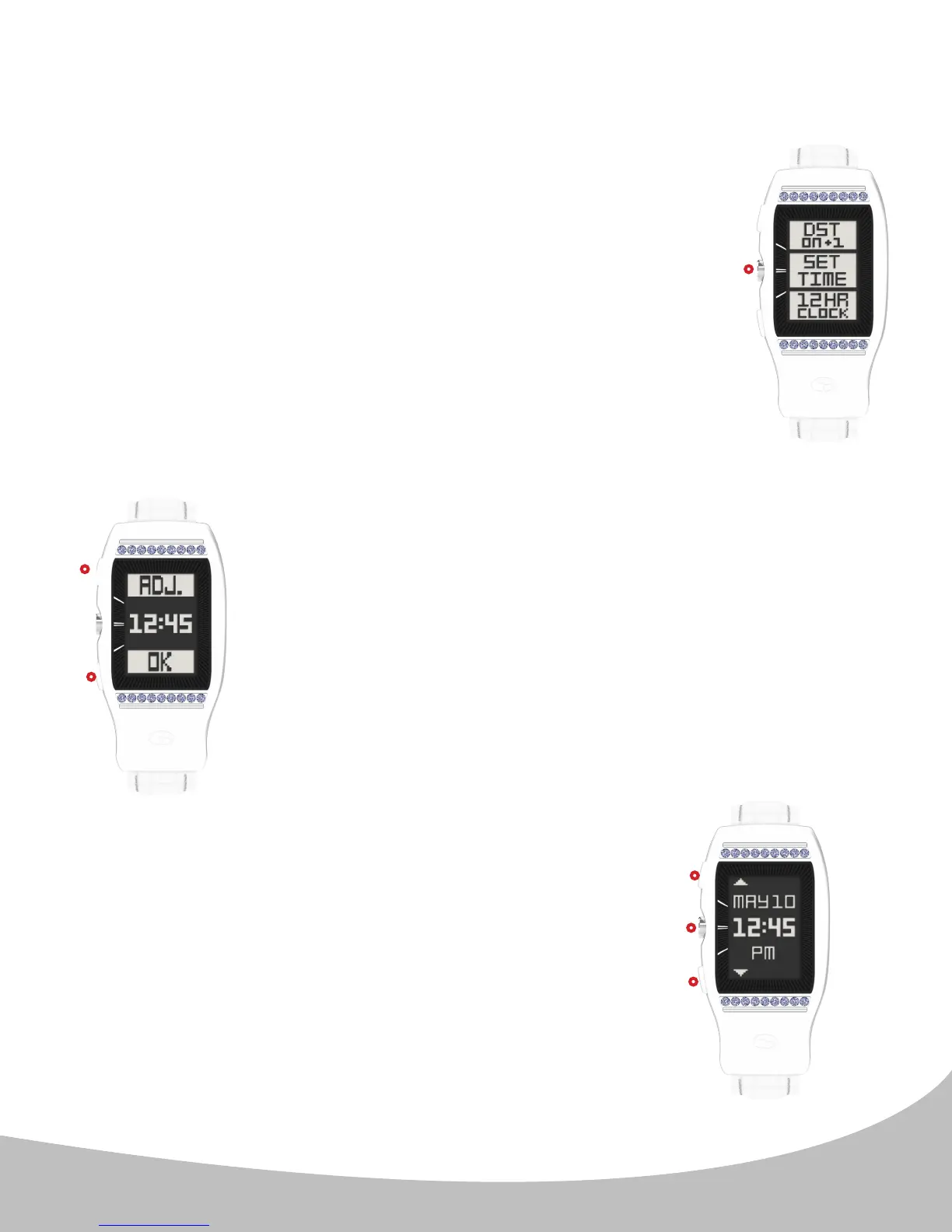
4. From the Time Menu press the center button ( II. )
to select set time (image D.). The LD2 will begin
searching for satellites; please step outdoors to
connect to GPS satellites Once GPS signal is
established, the LD2 will alert you with a series
of beeps, and the time adjustment screen will
appear. From here you can:
I. Adjust the hours using the upper button (image E.). This
option will activate the hours eld (proceed to step 5. below).
Note: This feature is included to allow users that prefer to sync
their time with a dierent time zone to do so. In most cases,
this is unnecessary. Minutes are set via GPS only.
III. Conrm time shown and return to the home (time) screen
using the lower button (image E.). Set time is complete.
5. (Image F.) Use the upper ( I. ) and lower ( II. )
buttons to cycle through the hours, then press
the center button ( III. ) to confirm the setting
and return to the Home (time) screen.
2. SETTING TIME (continued)
II.
III.
I.
II.
III.
I.
5
D.
E.
F.


 To Next Page