Getting Started
1312
1.1. Installing the Battery
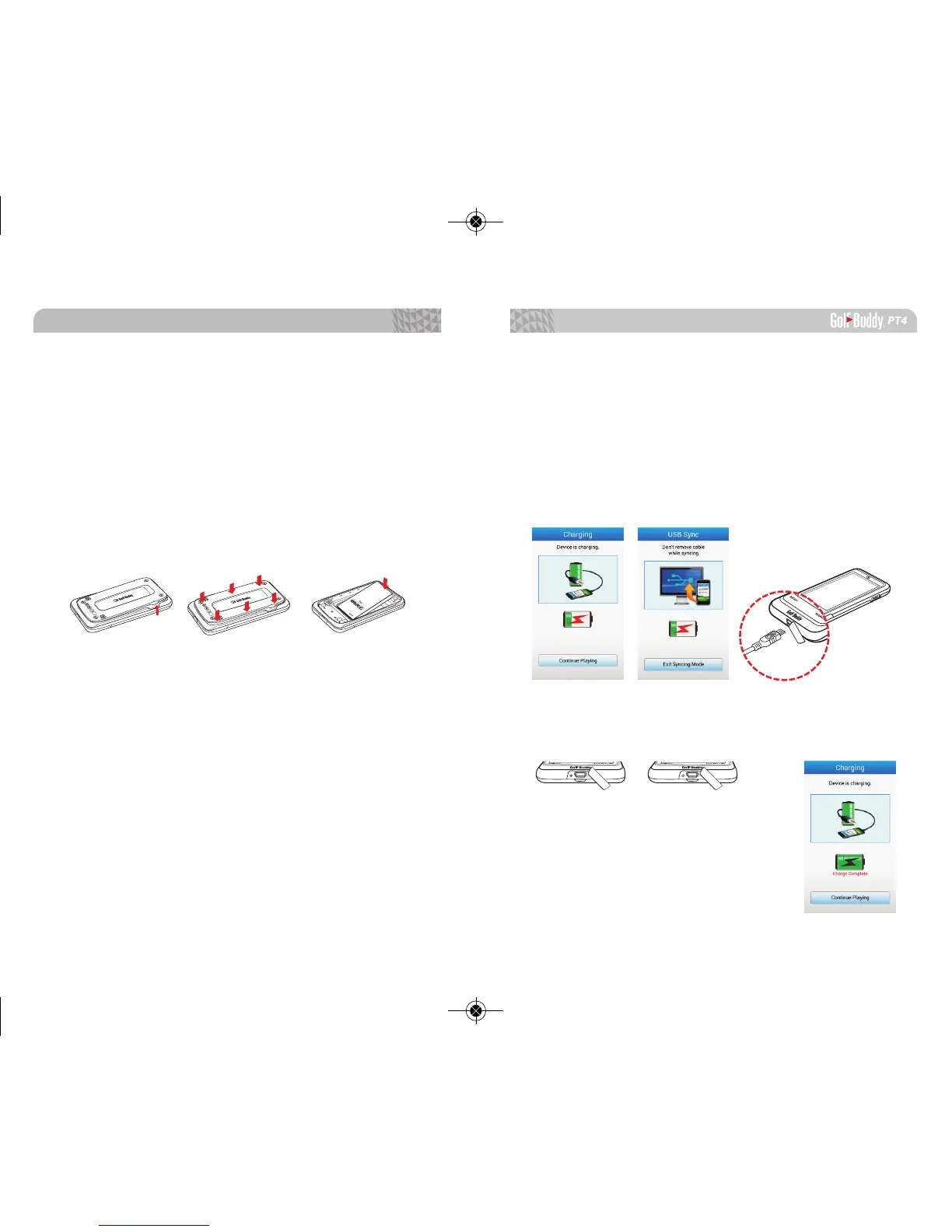
Remove the back cover by utilizing either slot on the
top side of your PT4. Lift the cover up and away from the
PT4. Insert the battery into the opening on the back of
the unit, making sure the connector is aligned. Press
down rmly to secure the battery. Place the battery cover
on to the back of the unit and press down. Press along
the edge of the back cover until you have a secure seal.
⇒⇒
1.2. Charging the Battery
Connect the PT4 to a power outlet using the included
cable and the USB wall charger. You can also charge your
PT4 by connecting the data cable to your computer.
<Note>
It is recommended that the battery is recharged before every round
of golf. When the battery is low, the PT4 will turn off automatically
The LED light by the USB port will turn red while it’s charging and
will turn green when the unit is fully charged. The screen will also
display “Charge Complete” underneath the battery icon.



 To Next Page