~ 6 ~
MA-5188RX
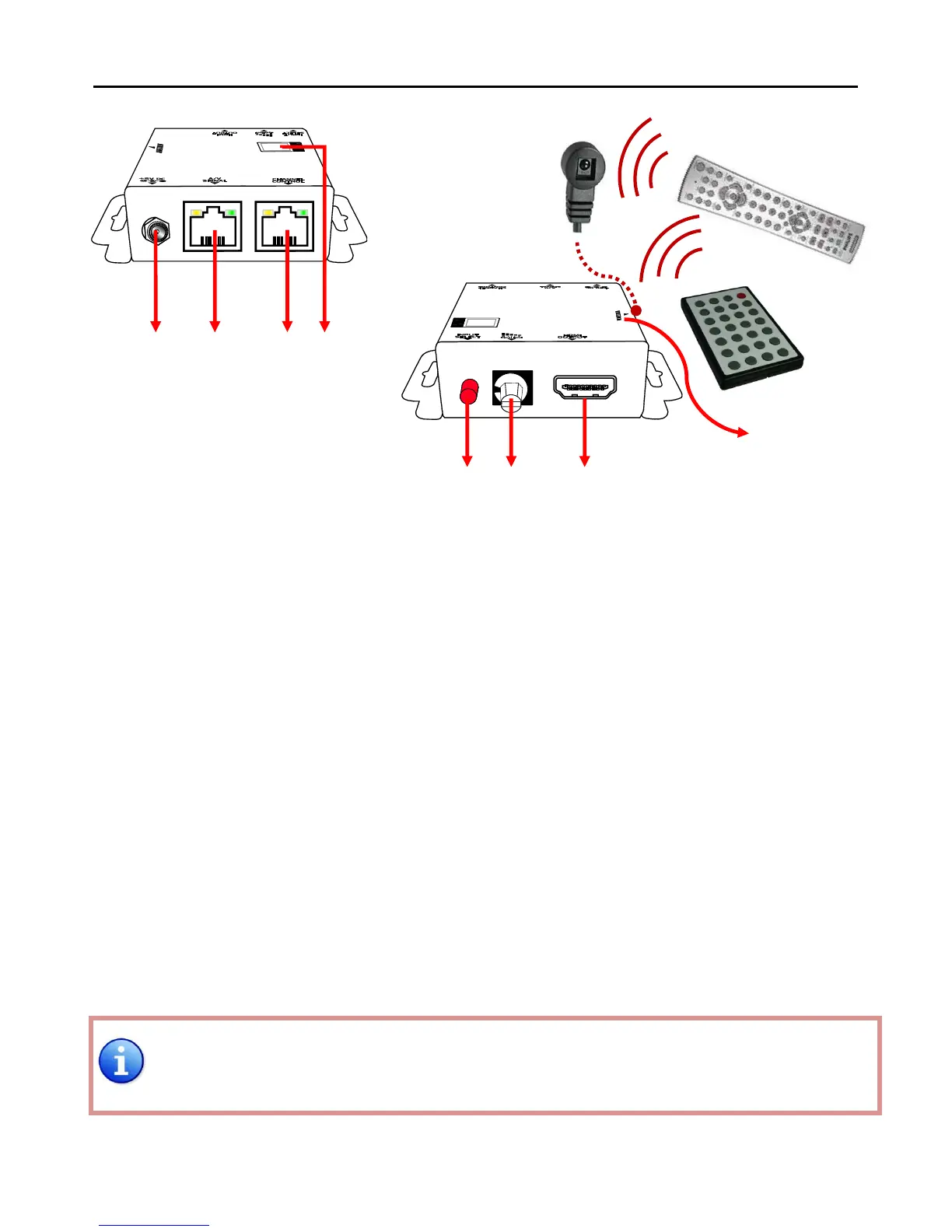
1. +5V DC: Spare power jack for over 60m transmission when the RX may need external power to
work*.
2. A/V SIGNAL: Plug in the CAT5 connected to the respective A/V SIGNAL port on the MA-5188
3. CHANNEL CONTROL: Plug in the CAT5 connected to the respective CHANNEL CONTROL port on the
MA-5188
4. INPUT CHANNEL: Display the current showing HDMI source channel
5. INPUT SELECT: Push button for switching input source channel in sequential order
6. Signal Level 0-7: Adjust the 8-level equalization control to the received HDMI signals. The HDMI
signal level varies from 0 (strongest) to 7 (weakest) for respective transmission
length from longest possible range to short distance. Please adjust the signal
level from 7 to 0 and stop turning the rotary switch whenever the audio/video is
playing normally. Inappropriate signal level setting may cause overpowering issue
that would shorten the product life significantly!
7. HDMI Output: Connect to HDTV with a HDMI cable
8. IR RECEIVER: Plug in IR receiver
*The MA-5188RX has been tested extensively and found that it doesn’t require external power supply.
If in rare situation you find it cannot work with the MA-5188, please use any +5V power adapter to
plug in the power jack and see if it can work. If not, please contact your technical support for further
service.



 To Next Page