~ 17 ~
Display Side
Method A: Push button for switching input channels
Press the INPUT SELECT push button to switch the input source on the respective output port connected to
the matrix receiver in sequential order. The selected input source will be displayed on the LED of INPUT
CHANNEL.
Method B1: IR remote control for switching input channels
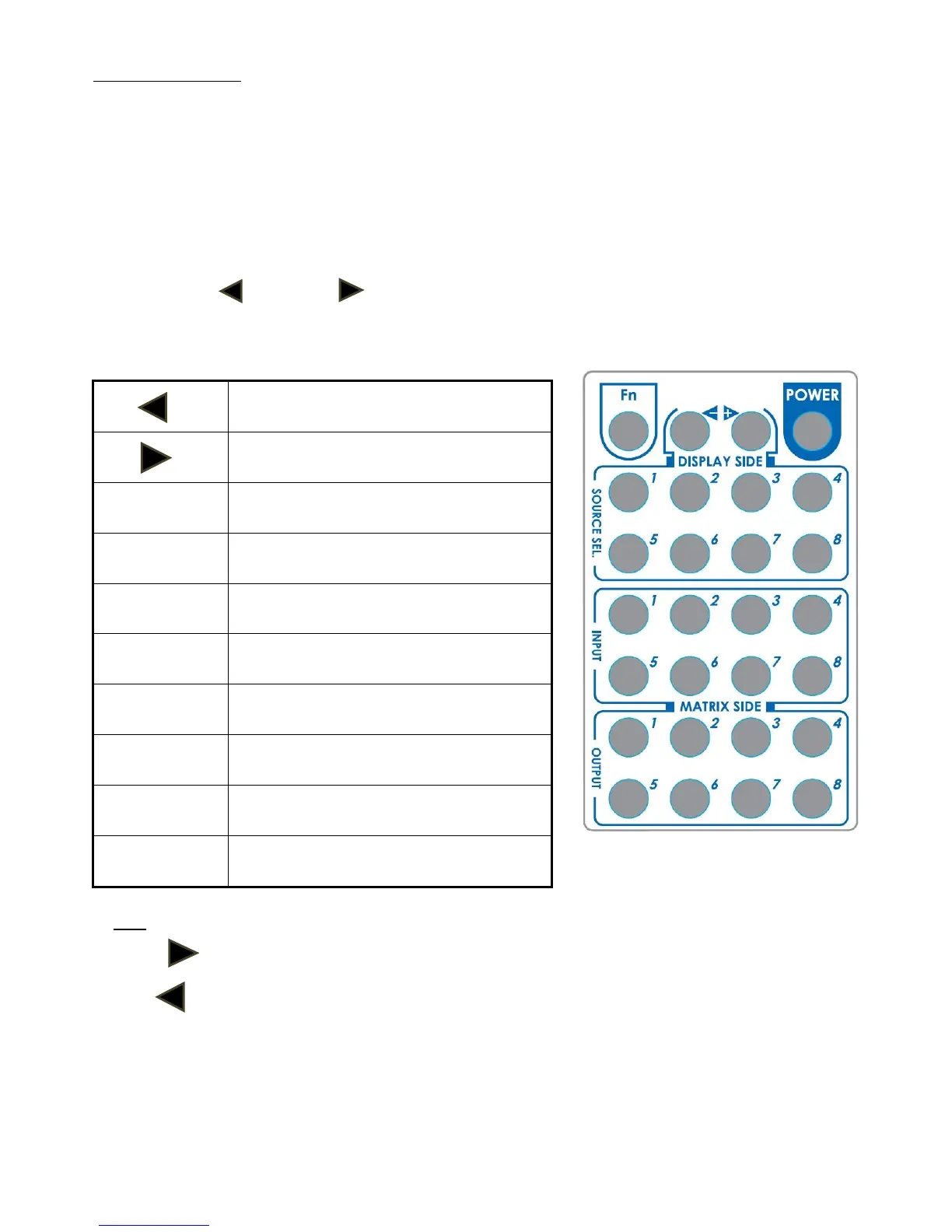
Please decide which input channel to be selected by pressing Source Selection 1 to Source Selection 8. Or
you can use left
—
and right
button to enter IR control mode and select the input channel in
ascending and descending order respectively. The setting will be effective in a couple of seconds.
Switch input port in descending order*
Switch input port in ascending order*
Switch the display channel at the remote
site to input port 1
Switch the display channel at the remote
site to input port 2
Switch the display channel at the remote
site to input port 3
Switch the display channel at the remote
site to input port 4
Switch the display channel at the remote
site to input port 5
Switch the display channel at the remote
site to input port 6
Switch the display channel at the remote
site to input port 7
Switch the display channel at the remote
site to input port 8
Note
Right ( ) button to switch input source in ascending order (1, 2, 3, 4, 5, 6, 7, 8, 1, 2, ......)
Left ( ) button to switch input source in descending order (1, 8, 7, 6, 5, 4, 3, 2, 1, 2, ......)
Method B2: IR remote control for controlling the HDMI sources
Users can use the corresponding IR remotes to control respective BD players, DVD players, or any HDMI
input devices including MA-5188C itself with IR control at any display site.



 To Next Page