EasyManua.ls Logo

GoMax Electronics MA-5188C - Output Port Control

Default Icon
27 pages
Print Icon
To Next Page IconTo Next Page
To Previous Page IconTo Previous Page
Loading...
~ 16 ~
7. Output Port:
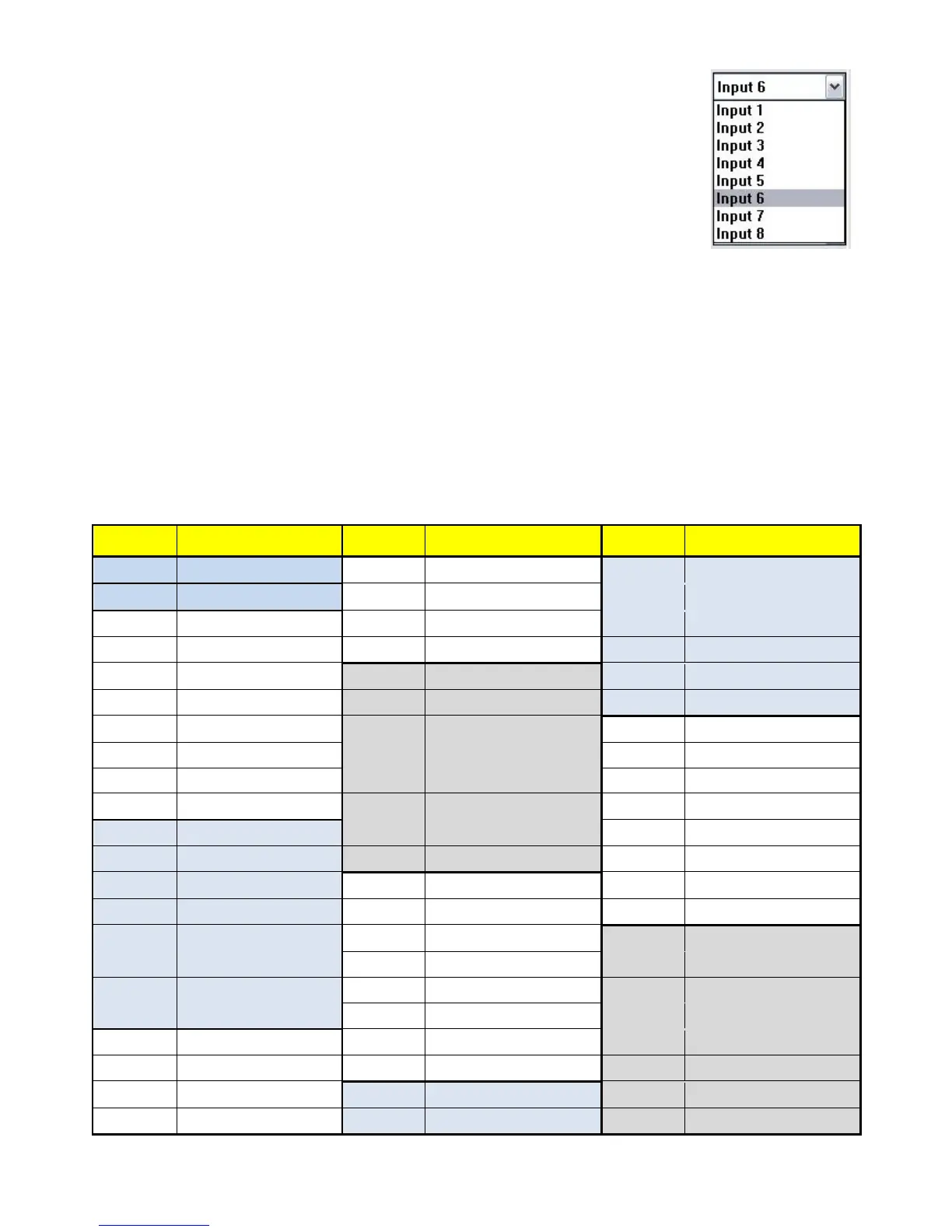
Pull down menu and select which source to be sent to this output port.
One by one setting
On main menu screen
First select input source. Then select the output ports which you want to send
the video and audio from this source. When you select the input source, the
source will change to gray. When you select the output port one by one, the
selected output port will change to gray.
The linking line will change to yellow.
Group setting
First select output ports one by one. Then select the input source. The selected output ports change the
setting at the same time.
By using Terminal:
Baud rate: 9600
Data length: 8bit
Parity check: No
Stop bit: 1
Command Set:

COMMAND
ACTION
COMMAND
ACTION
COMMAND
ACTION
ST
System Status
C5
Output C select Input 5
F3
Output F select Input 3
VR
Firmware Version
C6
Output C select Input 6
F4
Output F select Input 4
A1
Output A select Input 1
C7
Output C select Input 7
F5
Output F select Input 5
A2
Output A select Input 2
C8
Output C select Input 8
F6
Output F select Input 6
A3
Output A select Input 3
D1
Output D select Input 1
F7
Output F select Input 7
A4
Output A select Input 4
D2
Output D select Input 2
F8
Output F select Input 8
A5
Output A select Input 5
D3
Output D select Input 3
G1
Output G select Input 1
A6
Output A select Input 6
D4
Output D select Input 4
G2
Output G select Input 2
A7
Output A select Input 7
D5
Output D select Input 5
G3
Output G select Input 3
A8
Output A select Input 8
D6
Output D select Input 6
G4
Output G select Input 4
B1
Output B select Input 1
D7
Output D select Input 7
G5
Output G select Input 5
B2
Output B select Input 2
D8
Output D select Input 8
G6
Output G select Input 6
B3
Output B select Input 3
E1
Output E select Input 1
G7
Output G select Input 7
B4
Output B select Input 4
E2
Output E select Input 2
G8
Output G select Input 8
B5
Output B select Input 5
E3
Output E select Input 3
H1
Output H select Input 1
B6
Output B select Input 6
E4
Output E select Input 4
H2
Output H select Input 2
B7
Output B select Input 7
E5
Output E select Input 5
H3
Output H select Input 3
B8
Output B select Input 8
E6
Output E select Input 6
H4
Output H select Input 4
C1
Output C select Input 1
E7
Output E select Input 7
H5
Output H select Input 5
C2
Output C select Input 2
E8
Output E select Input 8
H6
Output H select Input 6
C3
Output C select Input 3
F1
Output F select Input 1
H7
Output H select Input 7
C4
Output C select Input 4
F2
Output F select Input 2
H8
Output H select Input 8