18
User‘s Manual
1. Switch off the mains fuse.
2. Check with a voltage tester to be sure, all lines are really
stress-free. If in doubt, a electrician must do the installation
work.
3. Check the packing content for being complete.
4. Compare all products to be compatible to each other.
5. Remove the cover cap at the back of the motion sensor by
using a Phillips head screwdriver.
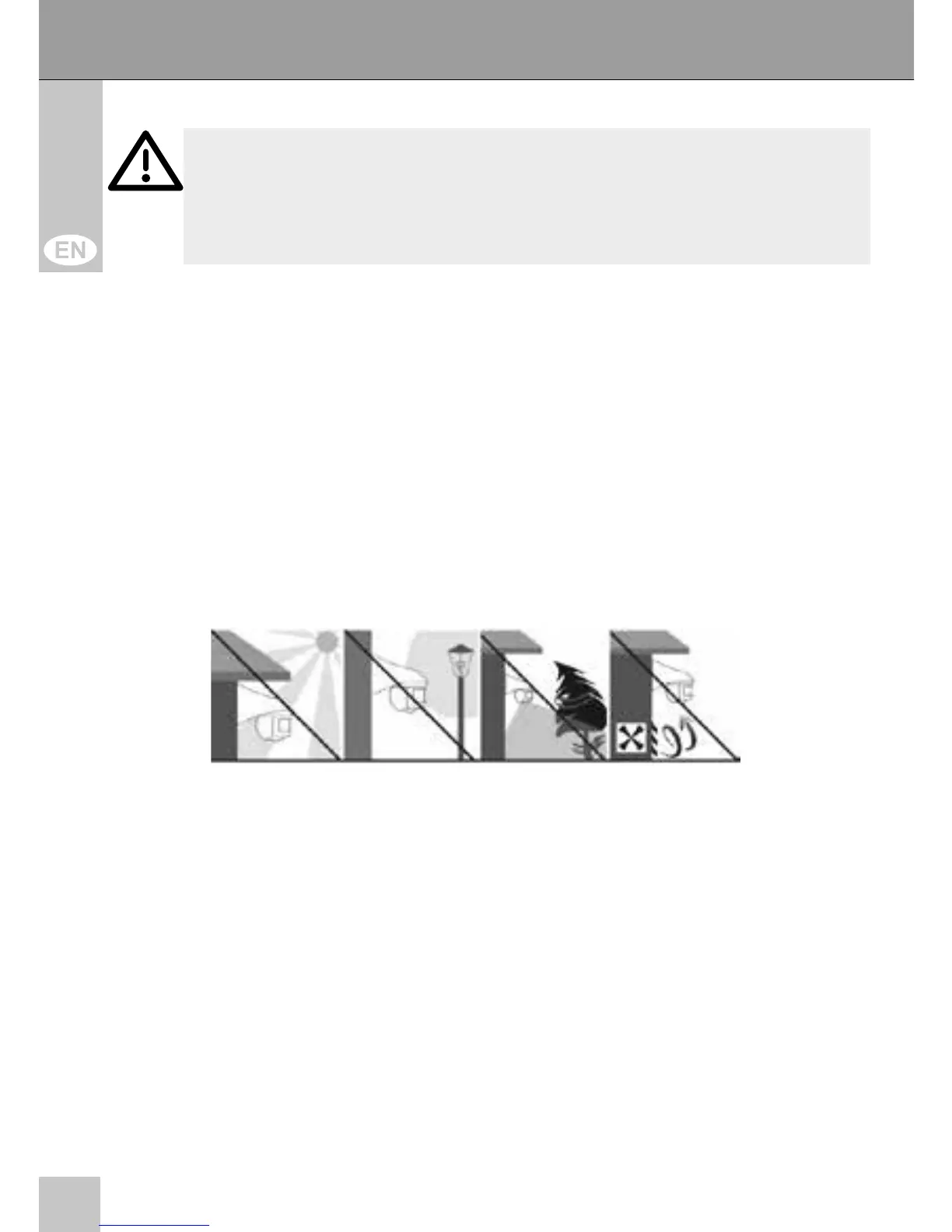
Choose the installation place away from street lighting, plants or
air conditioning vents. Avoid direct sun insulation.
6. Attach the cover cap to a wall or ceiling in a height of 1.8 to
2.5 m with the installation material. At this, attend to the cable
location and its lateral alignment. The detection area is 180°
in a distance of max. 12 m.
The scope of delivery includes installation material for concrete
walls or ceilings. Other materials need other installation material.
ATTENTION! Risk of short-circuit!
Never bridge contacts!
Do not put things into ventilation slots or ports!



 To Next Page