19
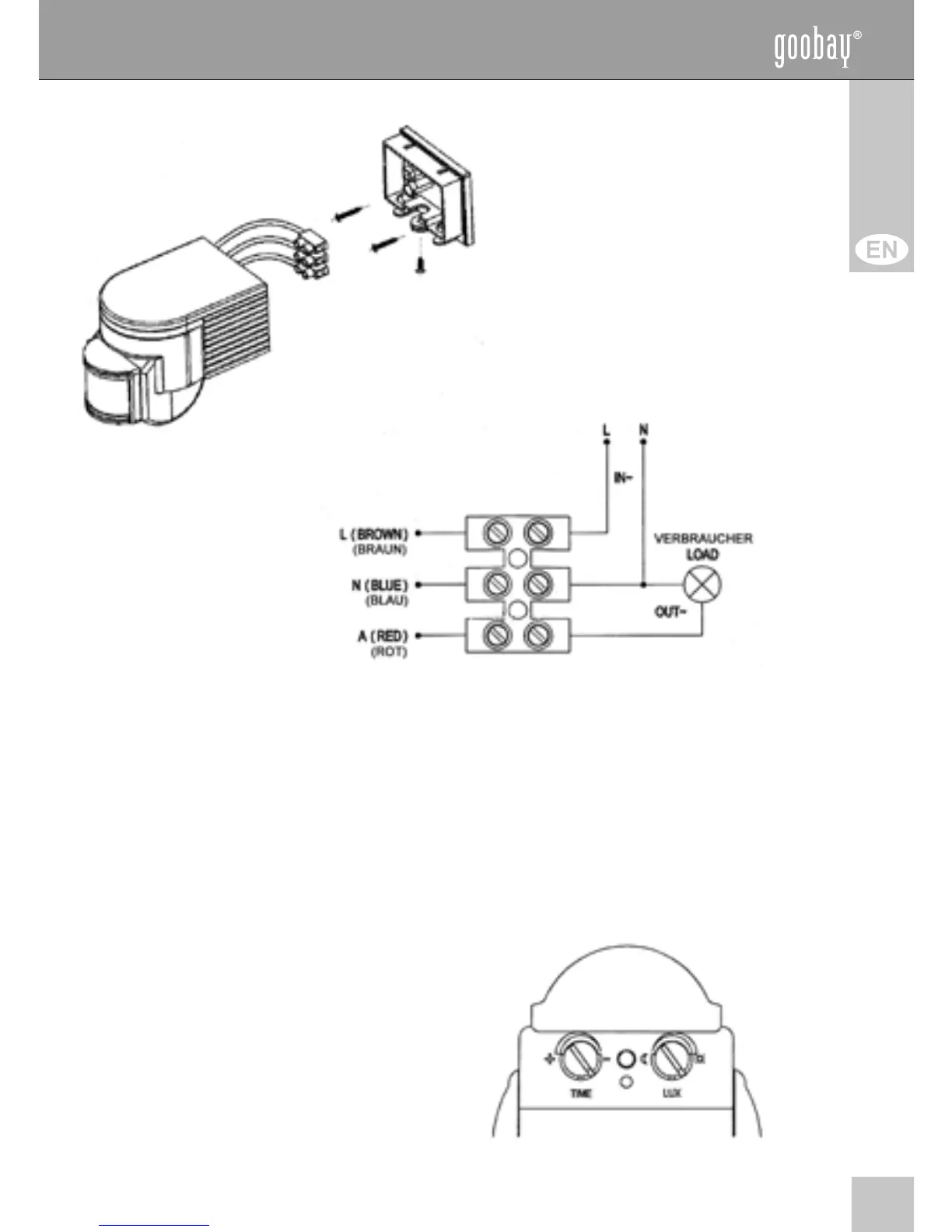
motion sensor cover cap
Sample gure: The
shape of the motion
sensor can differ.
7. Install all cables as follows:
phase (hot)
zero conductor (ground)
consumer (lamp)
8. Plug the luster terminal onto the provided lugs.
9. Connect motion sensor and cover cap and lock the
connection by the Phillips head screw.
10. Adjust the direction of the motion sensor by turning and tilting
the sensor unit.
11. Switch on the mains fuse.
Operating:
1. Adjust the time settings
(TIME). This means how long
the lamp is on after activating.
2. Adjust the photosensitivity (LUX).
This means how fast the motion
sensor react.



 To Next Page