6
Stand-by mode
Stand-by mode allows you to:
• turn the television on and off with the remote control;
• turn the television on with the wake-up timer; and
• turn the television off with the sleep timer.
When the television is on stand-by, the stand-by light comes on red.
The television uses little power when it is on stand-by, but you should
switch it off at the main power switch to save energy and be safe
when you are leaving the television for a long time.
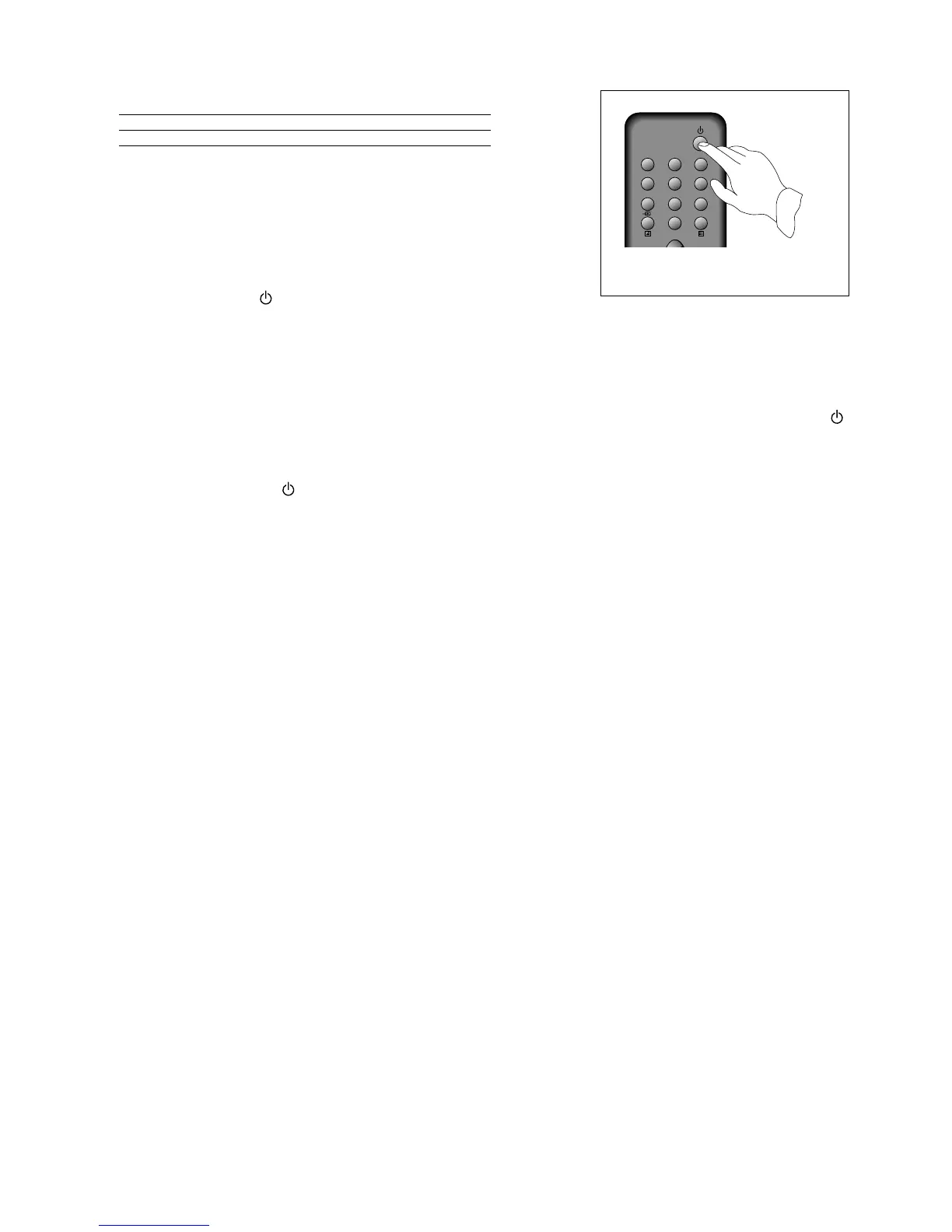
When the television is on stand-by you can switch it on by pressing
any of the following buttons.
The stand-by button .
One of the number buttons 0 to 9.
One of the PR buttons on the remote control.
The PRVor PRWbutton on the front panel of the television.
When you switch the television on, the stand-by light will change from red to green and after a few seconds
the screen will light up. If you want to put the television back on stand-by, press the red stand-by button
on the remote control again.
Switching the television off
Press the red stand-by button on the remote control to put the television back on stand-by, or press the
main power button to switch it off completely.
Automatic power-saving feature
If no signal is received through the aerial cable or from any external equipment, after about thirty minutes
the television will automatically go on stand-by.



 To Next Page