4.6 Play a Song
Follow the steps above to load a disc or USB flash drive (if not already
loaded).
1.
The player begins to read the disc/ drive and displays the total number
of compatible tracks on the display.
2.
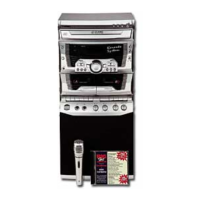
If a TV is connected a menu displaying folders on the left (MP3+G files in
folders only), and tracks on the right.
3.
4.
If a TV is connected, the lyrics to the current song will appear on your TV.5.
6.
Press the “ ” button once to begin playback from track 01. The
PLAY/PAUSE indicator to the left of the display will illuminate and if playing
a CDG disc /MP3+G file the CDG indicator will illuminate also.
To pause playback press the “ ” button once more. The PLAY/PAUSE
indicator and display will flash to indicate the player is in pause mode;
press the “ ” button to stop music playback. The display shows the
total number of tracks once more.
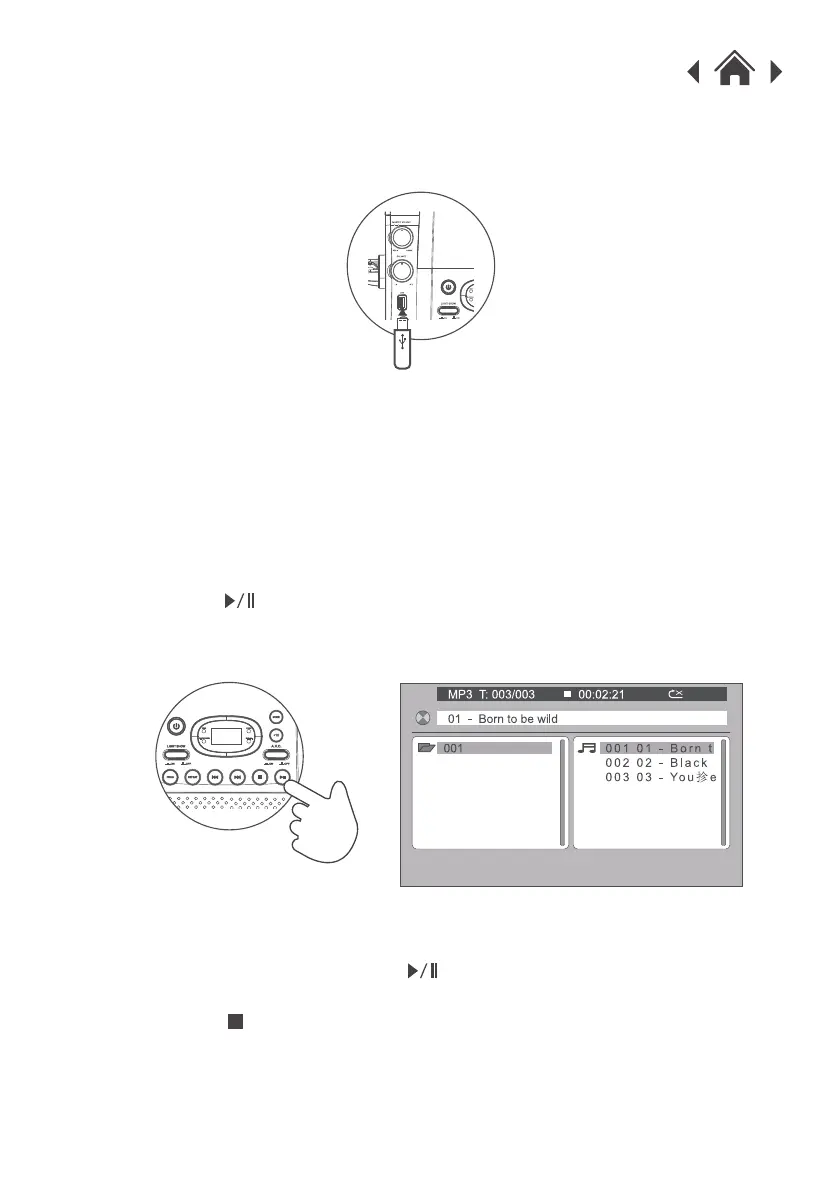
4.5 Load a USB Flash Drive
Insert a USB flash drive into the USB port on the front of the karaoke machine.


 To Next Page