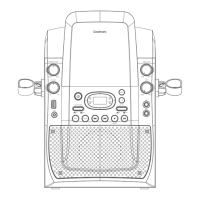
2.3 Front View
Water Effect
Power ON/OFF Button
Press to switch between.
Power ON and standby mode.
Master Volume
Adjusts the volume
level of the speaker.
Microphone Holder
Balance Button
Adjust the left & right audio
balance.
USB Port
LINE IN Input
Light Show Switch
Enables or disables the light on the
rear of the karaoke machine.
Prog Button
Activates the program playlist function.
Repeat Button
Backward Skip Button
Forward Skip Button
Stop/Pairing Button
Press to stop playback/ hold to
disconnect your Bluetooth device.
Speaker
LED
Connect a USB flash drive for
MP3 playback.


 To Next Page