4.7 Skip Tracks
4.8 Programed Playback
To programe an alternative playback order of tracks follow the below
steps.
1. Press the “ ” STOP button if a disc is playing. Then press the PROG
button to enter the programe setup function. The PROG indicator to the
right of the display will illuminate.
3. Press the PROG button to store track ‘1’ of the playlist.
4. Repeat steps 2-3 to program up to 20 tracks.
5.
2.
1.
2.
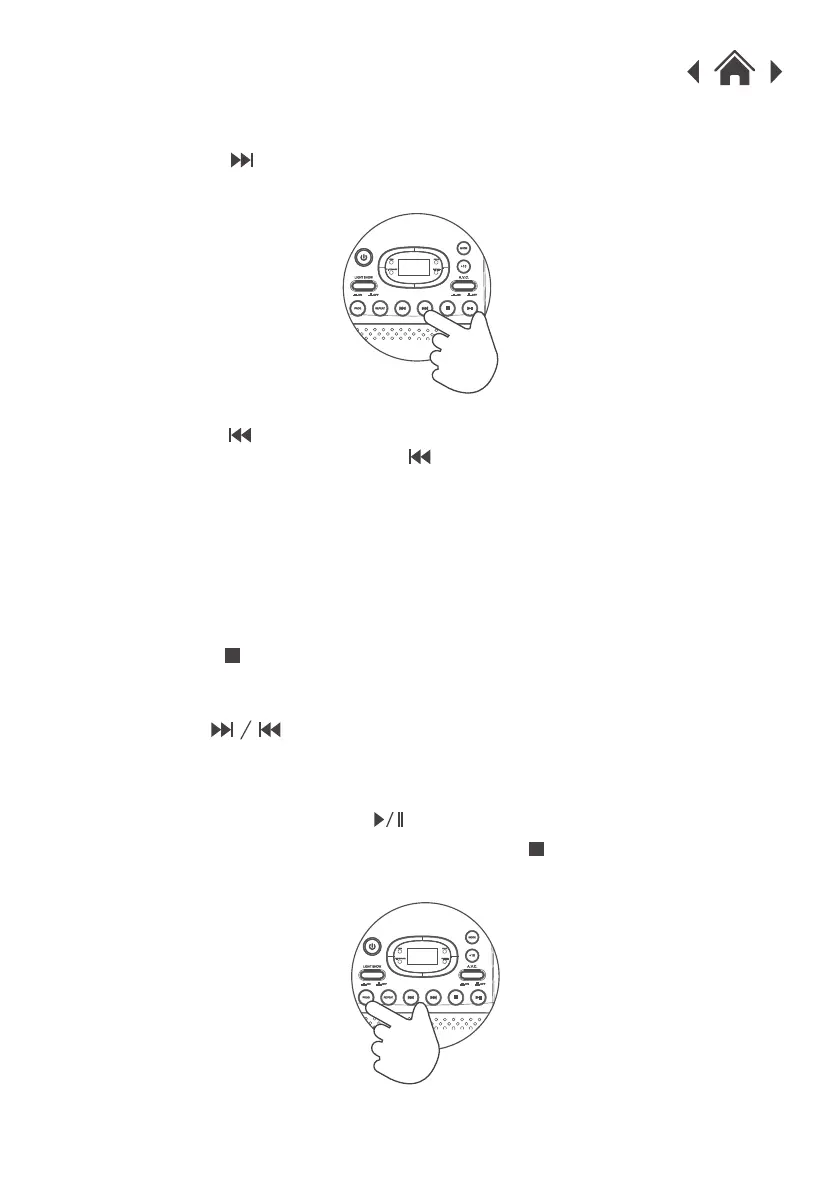
Press the “ ” button once during playback to skip to the next track.
To skip to a specific track, press this button several times until you reach
the track number required.
Press the “ ” button once during playback to return to the beginning
of the current track. Press the “ ” button twice repeatedly to skip to
the previous track. To skip back to a specific track, press this button
several times.
Use the “ ”buttons to skip between the tracks.
6.
When complete press the “ ” button to begin playback.
To cancel the program sequence press the “ ” STOP button once. The
PROG indicator will go off.


 To Next Page