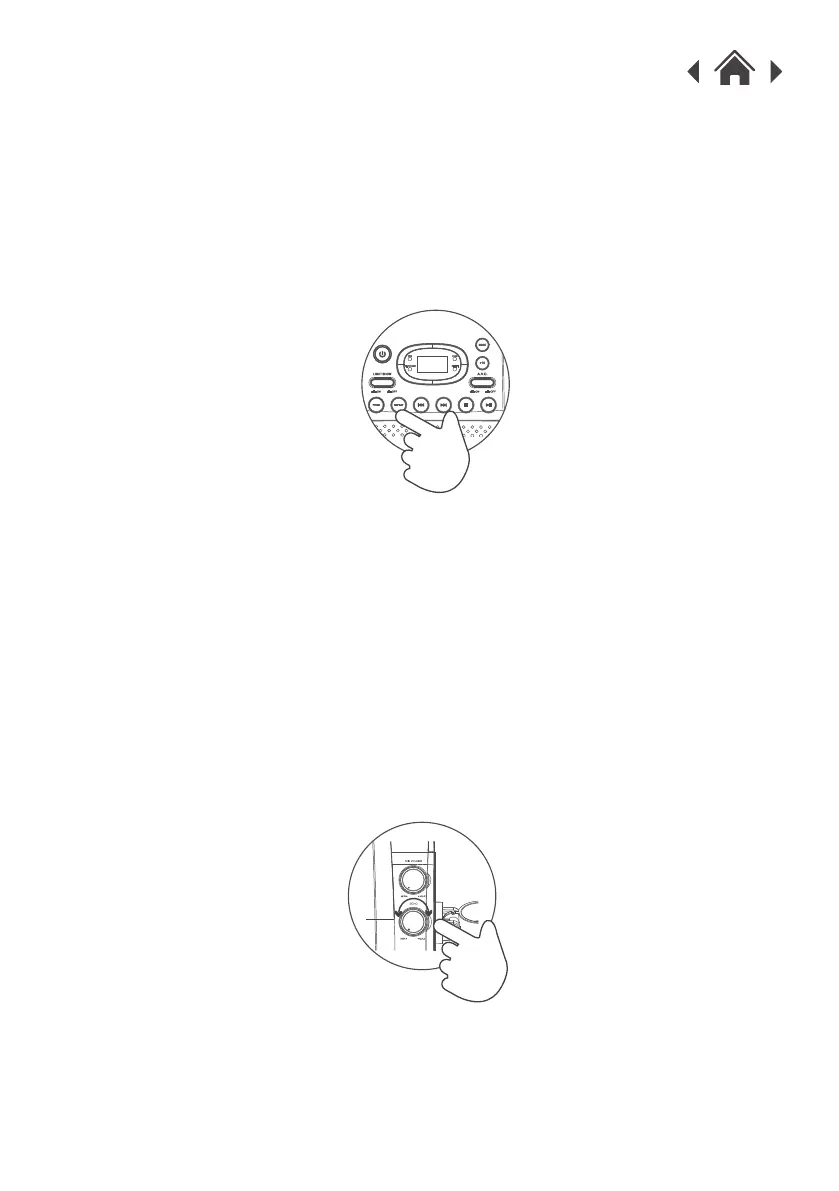
4.9 Repeat Single/All Track(s)
During playback pressing the REPEAT button will flag the current track
to repeat indefinitely. You will see the REPEAT indicator to the right of
the display flash.
1.
Pressing the REPEAT button again will repeat all tracks on the disc.
You will see the REPEAT indicator to the right of the display stop
flashing and remain solid.
2.
To cancel the repeat function press the REPEAT button for a third time.
You will see the REPEAT indicator to the right of the display go off.
3.
4.10 Echo Effect (Microphone Only)
When using the microphone(s) you can apply echo to your voice using
the ECHO control.
1.
Rotate clockwise from MIN to MAX to increase the echo amount.
Setting the control to 'MIN' means there will be no echo on the
microphone output.
2.


 To Next Page