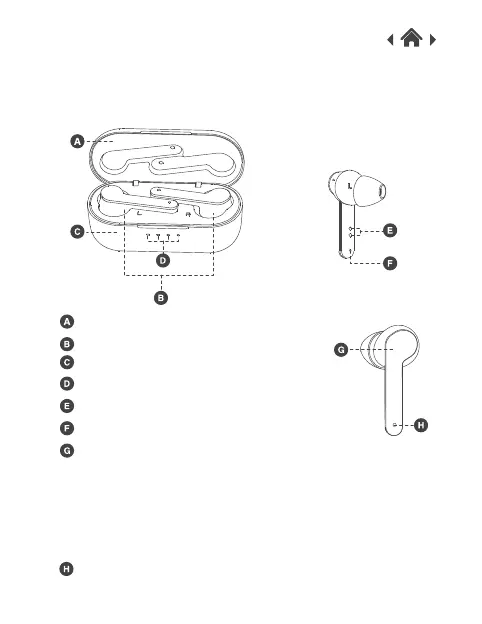
2.2 Front view
Touch for 2 seconds to turn the earphones on.
Touch once to play/pause/answer/end a phone call.
Touch once again to refuse call or to skip to the next track.
When the earphones are on, touch for 2 seconds to activate
voice assistant.
Touch for 5 seconds to turn the earphones off.
Charging Case
Charging Case Cover
True Wireless Earphones
Mic
Charging Indicator LED Light
Charging Touch Spot
Touch Button
Earphones Charging Indicator Light


 To Next Page