Need help?
Do you have a question about the Goodmans 339343 and is the answer not in the manual?
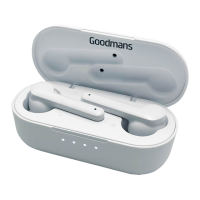
Lists the items included in the packaging with the True Wireless Earphones, including accessories and documentation.
Details the components of the earphones, including ear tips, multi-function button, and status light.
Details the components of the charging station, including charging contacts, case button, LED indicator, and USB port.
Instructions on how to charge the True Wireless Earphones and the charging station before first use.
Explains the two methods for turning the earphones on and off, either manually or automatically via the charging station.
Step-by-step guide for pairing the earphones with a Bluetooth device using the first method.
Step-by-step guide for pairing the earphones with a Bluetooth device using the second method.
Guide on how to use a single earphone for calls or music, noting the right earphone's capabilities.

 To Next Page
 General