Goodmans True Wireless
CONNECT
TRUE WIRELESS EARPHONES
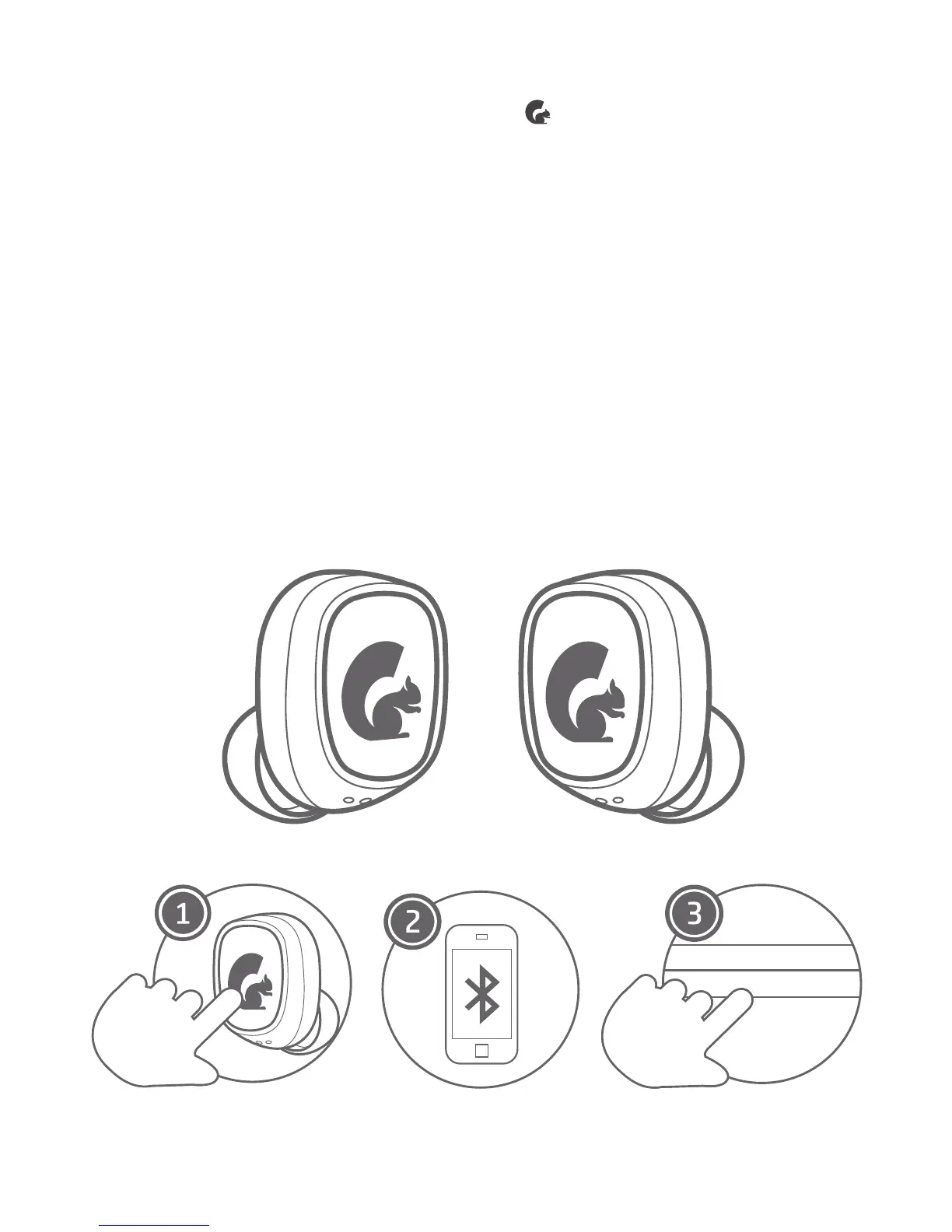
Bluetooth Pairing - Method 1
Press and hold the button ( ) on both the LEFT
and RIGHT earbud for 2-3 seconds. The LEDs on
the earbuds will ash red & blue and automatically
connect to one another. Once the earphones are
paired only the RIGHT earphone will ash red & blue
steadily waiting to be paired to a device.
Ensure Bluetooth is enabled on your smartphone,
tablet, computer, or music device.
The earphones will appear as “Goodmans True
Wireless” in the list of available Bluetooth devices.
Select “Goodmans True Wireless” and connect.
3.3
1.
2.
3.


 To Next Page