4848
For the FAV1 and FAV2 channel lists, you can choose channels to
tal status (this
or unlocked).
dio channel list.
individual channels.
the favourite lists
(see page 41) by pressing the ‘OK’ button.
3 Choose the list you want to change, using the or ,then
press ‘OK’.
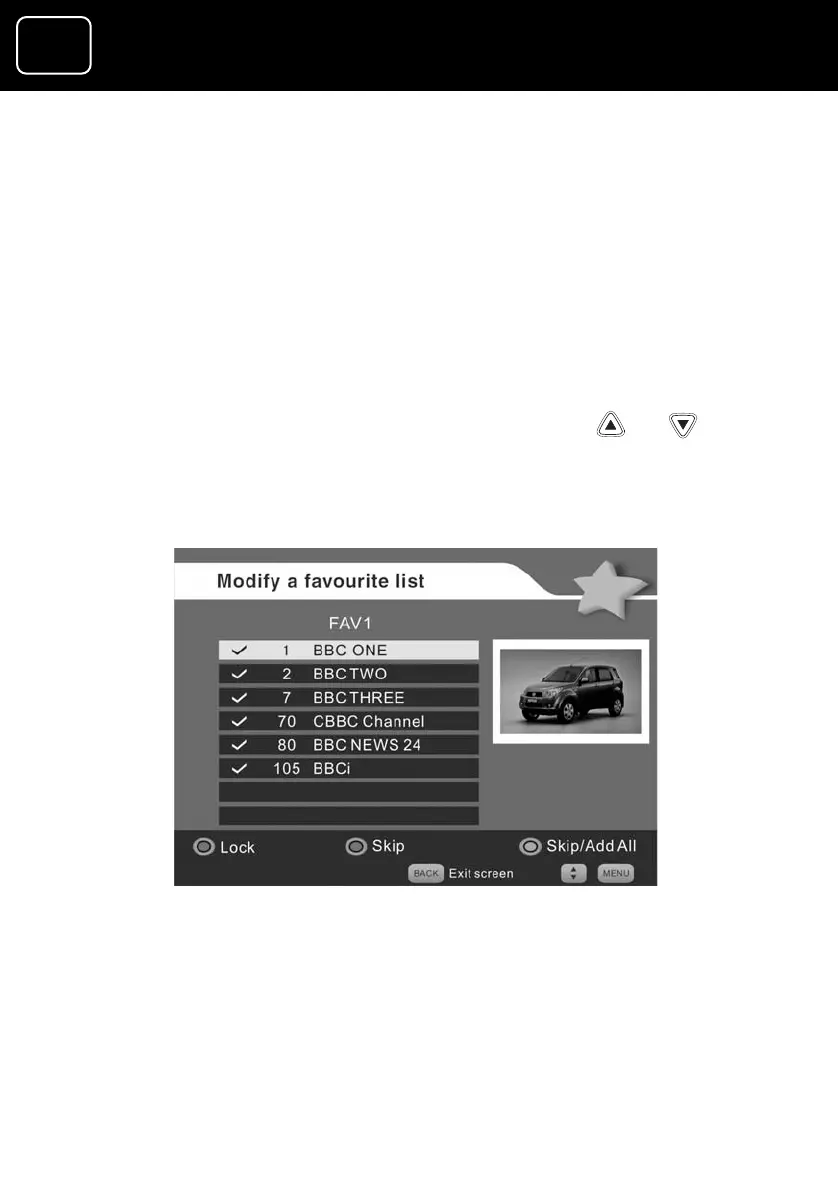
4 If you select the FAV1 or FAV2 channel list, you will see screen 2
below.
add or delete from your lists, or change their paren
means whether a channel is locked
You cannot delete any channels from the TV and ra
You can only lock or unlock
1 Select the ‘Modify a favourite list’ option from
menu
2 You will now see screen (1) above.
Changing a favourite channel list screen (2)
5 To delete a channel, select the channel and press the green
button.
6 To add another channel, select it and press the green button.
GDR10 Di
ital TV receiver


 To Next Page