9
9
DR10 Set To
Bo
9
DR10 Di
ital TV Receiver
9
9
DR10 Set To
Bo
9
GDR10 Di
ital TV receiver
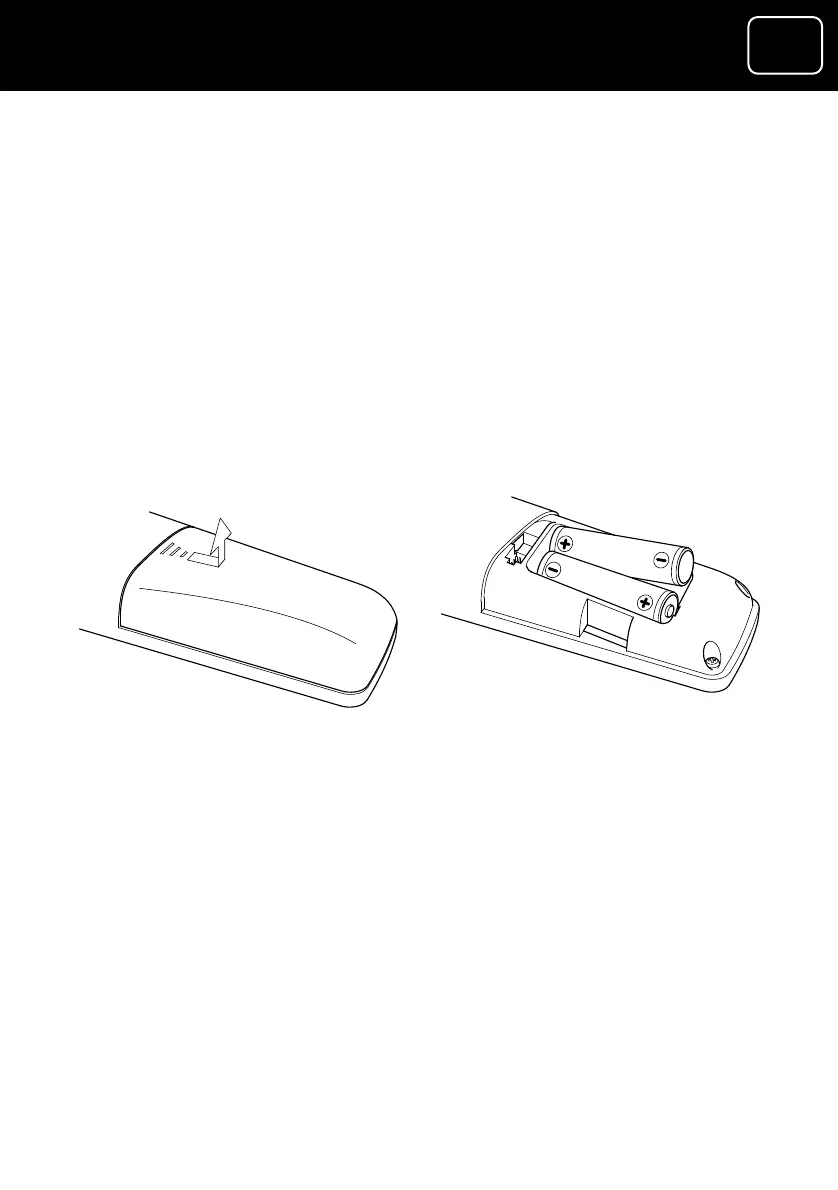
Putting batteries in the remote control
ontrol.
symbols) printed on
ou which way
batteries in the remote control.)
3 Put two AA batteries in the battery as shown in the diagram
and in line with the markings on the batteries (‘+’ goes next to
‘+’, ‘–’ goes next to ‘–’).
4 Replace the cover.
1 Remove the battery cover from the remote c
2 Look at the polarity diagram (the ‘+’ and ‘-’
inside of the battery case. (This diagram tells y
round to put the



 To Next Page