EasyManua.ls Logo

Goodmans GMN10040MP3 - User Manual

Goodmans GMN10040MP3
12 pages
Print Icon
To Next Page IconTo Next Page
Loading...
Instruction manual
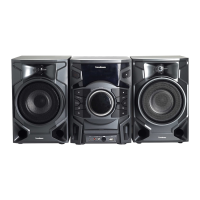
Mini sound system
with CD-R/MP3CD playback
GMN10040MP3
GMN10040MP3
FCS

Questions and Answers

Goodmans GMN10040MP3 Specifications

General IconGeneral
BrandGoodmans
ModelGMN10040MP3
CategoryStereo System
Playable File FormatMP3
RMS Output Power20W
MP3 PlaybackYes
CD PlayerYes
USB PortYes
FM RadioYes
TypeMicro System
Playable Media FormatCD
ConnectivityUSB

Summary

Important Safeguards

Prefitted Mains Plugs

Instructions for safety when using the pre-fitted mains plug.

Plug Wiring Details

Wiring codes for the mains plug and correct connection.

Precautions

General Usage Guidelines

Read manual, check supply, installation guidance, and environmental factors.

For Your Own Safety!

Servicing and Laser Safety

Refer servicing to qualified personnel; do not open unit; observe laser safety.

Power Disconnection

Unit remains in standby when off; unplug for full disconnection.

Controls Overview

Remote Control Functions

Detailed explanation of buttons on the remote control for various operations.

Sound Adjustment Features

Covers volume control, bass enhancement, EQ, and mute functions.

Main Unit Controls

Power, Disc, and Sound Features

Explains power, disc compartment, UBS, GEQ, and display/demo functions.

Playback, Recording and Direct Functions

Details on tape/CD playback, recording, direct function buttons, and connections.

Installation and Connections

Component Placement

Guidance on positioning speakers and the main unit for optimal stereo sound.

System Connections

Steps for connecting speakers, aerials, and external devices.

Radio Listening Guide

Tuning and Presets

How to tune stations and store/select presets.

Mono;Stereo Reception

Adjusting FM reception for better sound quality.

CD;MP3 Playback Basics

Playback and Disc Handling

Loading discs, starting playback, and pausing/stopping.

Information Display and Skipping

Viewing MP3 info, skipping tracks, and searching.

Advanced CD;MP3 Playback

Folder Navigation and File Search

How to navigate MP3 folders and search for specific files.

Programmed and Intro Scan Playback

Creating custom playback sequences and previewing tracks.

Playback Modes and Tape Operations

Repeat and Random Playback

Options for repeating tracks/discs and playing in random order.

Tape Playback and Winding

Loading, playing, and winding tapes.

Continuous Tape Playback

How to play tapes sequentially from one compartment to another.

Recording Functions

Station and Device Recording

How to record radio stations or external audio devices.

Synchronized CD and Tape Dubbing

Copying CDs to tape with synchro start and dubbing tapes.

Timer and Clock Settings

Setting and Displaying Time

How to set the clock, display time, and configure sleep timer.

Setting Timers and Stand-by

Instructions for setting the timer and managing record stand-by mode.

Appendix and Technical Information

Troubleshooting Common Issues

Solutions for sound, display, radio, tape, and CD playback problems.

Compact Disc Care and Accessories

Guidelines for handling discs and a list of included accessories.

Tape Head Cleaning and Specifications

Instructions for cleaning tape heads and technical data of the unit.

Related product manuals