EasyManua.ls Logo

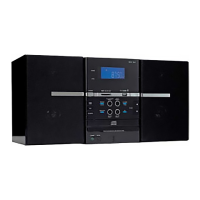
Goodmans MICRO1106DAB - User Manual

Goodmans MICRO1106DAB
20 pages
Print Icon
To Next Page IconTo Next Page
Loading...

Questions and Answers

  • B
    Brett MurphyAug 2, 2025
    How to fix a Goodmans Stereo System with no sound?
    • M
      Megan JamesAug 2, 2025
      If your Goodmans Stereo System isn't producing any sound, first ensure that the unit is properly connected to a power source and switched on. Then, check the volume control and rotate it clockwise to increase the volume. Also, make sure that headphones are not plugged into the headphone socket.
  • K
    Karina ThompsonAug 8, 2025
    What to do if the remote control for my Goodmans Stereo System is not working?
    • X
      xmarshallAug 8, 2025
      If the remote control for your Goodmans Stereo System isn't working correctly, start by replacing the batteries. Ensure there are no obstructions between the remote and the system. Strong light sources, such as direct sunlight or fluorescent lights, can also interfere with the remote's signal, so try adjusting the lighting in the room. Finally, make sure you are close enough to the system and pointing the remote directly at the unit’s Remote Sensor.
  • S
    Stephanie PollardAug 14, 2025
    What to do if CD tracks are not displayed on my Goodmans MICRO1106DAB Stereo System?
    • B
      Brian PalmerAug 15, 2025
      If your Goodmans Stereo System CD player displays no tracks after inserting a disc, ensure that the disc is inserted correctly with the label facing up. If the issue persists, try cleaning the disc with a soft cloth. Scratched or warped discs may also cause this problem, so try using a new disc. If moisture has formed inside the CD deck, take out the CD and leave the CD player open for an hour.
  • S
    Susan LeeAug 20, 2025
    Why is my Goodmans MICRO1106DAB Stereo System not finding DAB stations?
    • P
      piercechrisAug 20, 2025
      If your Goodmans Stereo System isn't finding any DAB stations, make sure the aerial is fully extended and check the unit's position.
  • J
    Jason MayerAug 27, 2025
    How to fix erroneous information on Goodmans MICRO1106DAB Stereo System display?
    • K
      Kelly SimsAug 27, 2025
      To resolve erroneous information displayed on your Goodmans Stereo System, switch the unit off and then back on. This will clear the temporary memory problem.

Summary

Important Safeguards

Mains Plug and Wiring Safety

Information on the fitted mains plug, fuse replacement, and correct wiring.

General Electrical and Environmental Warnings

Crucial warnings about fire hazards, shock risks, and exposure to moisture.

Internal Voltage and Serviceability

Warning about dangerous internal voltages and user non-serviceable parts.

Important Notes

General Safety and Operational Cautions

Covers electrical safety, ventilation, flame sources, water, and battery disposal.

Unit Labels and Laser Warnings

Details classification, warning labels, and laser safety instructions.

General Operation

DAB System Overview and Setup

Introduction to DAB, initial setup, and aerial positioning.

DAB Operation

Autotune and Station Scanning

Procedure for scanning the DAB band and creating a station list.

Troubleshooting Guide

Common Problems and Solutions

Addresses issues like no sound, no DAB stations, CD errors, and remote control problems.

Goodmans MICRO1106DAB Specifications

Power IconPower
AC supply voltage230VAC, 50Hz
power output at 10% THD2 x 10 RMS
DAB Specifications IconDAB Specifications
receiver bandsDAB band III: 174.928MHz(5A) – 239.200MHz(13F)
DAB sensitivity- 98dBm or better
DAB adjacent channel rejection- 30dB or better
CD Section IconCD Section
standardCDDA, CDR, CD-RW compatible
frequency response20Hz – 20kHz
audio line inputvia 2 x RCA sockets

Related product manuals