HELPLINE PHONE NUMBER 0870 873 0080
- 10 -
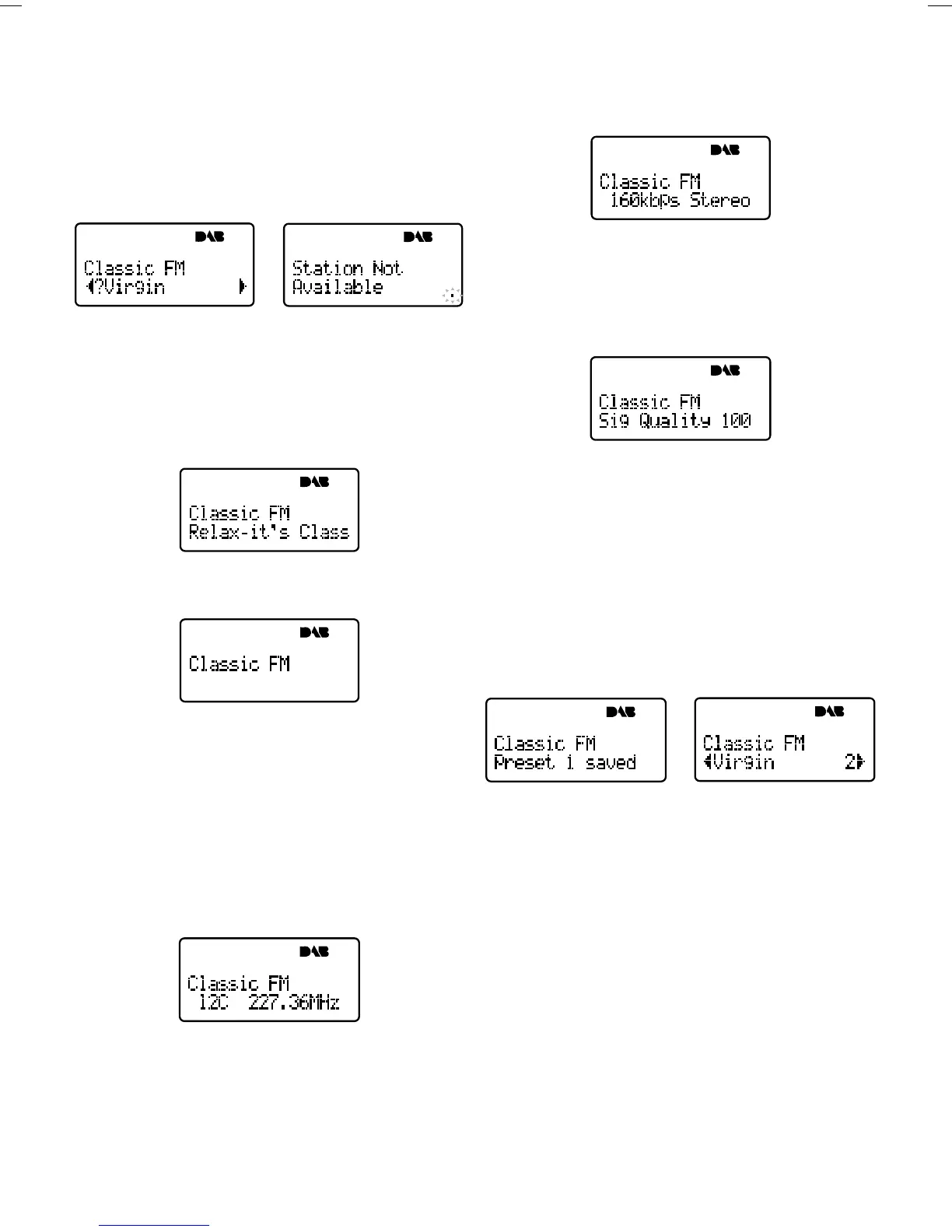
If the station has ‘?’ before its name the service is currently
inactive or invalid. If you select a station which has this
symbol the DAB tries to tune to that station. If still
unavailable ‘Service not avail’ or ‘Service off- air ’ will be
displayed and DAB will attempt to tune to an alternative
station. A flashing cursor will indicate that this is underway.
If you want to try to manually tune to this station you
have five seconds in which to push the Tune button and
the manual tuning bar will be displayed enabling you to
adjust your aerial.
Changing the display mode
DAB has six display modes which enable you to view parts
of the broadcast data on the bottom line of the display.
Press the DISPLAY button and repeat to cycle through
the six different display modes.
Scrolling text:
The default mode, displays scrolling text messages which
accompany the audio, where available.
Program Type:
A label describing the type of content being broadcast by
the service.
Multiplex name:
Displays the name of the multiplex in which the current
service is found, see Guide to Digital Radio for more
information on multiplexes.
Date and time:
Displays the date and time obtained from the current
multiplex.
Channel:
Displays the channel identifier and frequency for the
station to which you are tuned, see Guide Digital Radio
for more information.
Mode:
Displays the mode of the current service Stereo or Mono
and the data rate at which the audio signal is being
transmitted. This rate is set by the broadcaster to suit
the type and quality of material being transmitted.
Signal Quality:
Display the signal quality for the signal to which you are
tuned. As a guide values from 80 to 100 indicate good
reception, 60 to 80 borderline reception and 60 or more
poor reception. You can attempt to improve this quality
by adjusting your aerial position using the Manual Tune
option described.
Storing and recalling presets
The numbered buttons (1-6) enable you to store radio
stations for one- touch access.
To store a station
You can store a station to a preset while listening it or
when you see the station name on the bottom line of the
display while scrolling through the station list.
Press and hold down a numbered button for around two
seconds to store the station under that number. The
display shows e.g. ‘Preset 1 saved’ when the station has
been successfully saved. Once you save a station to a
preset, the station name has the preset number next to it
on the station list.
To recall a previously stored station
Press and release the numbered button under which you
stored the station. If the selected preset is empty the
display shows ‘Preset empty’ for a few seconds and you
continue listening to the currently selected station.
Advanced setup options
The DAB has a number of advanced features which enable
you to change the order and number of stations on the
station list, perform manual tuning, apply Dynamic Range
Control (DRC).
Press the RANDOM/MENU button to enter the advanced
setup menu, press the SCROLL button to scroll through
the following menu options then press the select button
to select that option.


 To Next Page