7
SINGING TO MUSIC
The microphone can operate together with the TAPE, AUX, CD functions.
• Select the desired function and operate that function according to the instructions given.
• Insert the supplied microphone into either MIC input socket.
• Move the microphone ON/OFF switch to the ON position and operate the microphone
according to the instructions given in the PA section.
• Use the auto vocal switch to cut the vocals from the music being played.
Note: If TAPE function is selected, make sure that the PLAY button is pressed otherwise
micophone will not be heard.
Special KARAOKE cassette may be purchased from many hi-fi retail outlets or record
shops. This type of karaoke tape contains popular music/instrumentals recorded on one side
of the tape and predominantly vocals on the other side of the tape. With these it is possible
to sing along(lyric are supplied with the cassettes) to the XB21/25 speaker can be altered to
suit your own requirements by adjusting the MIC MIX control to music or vocals.
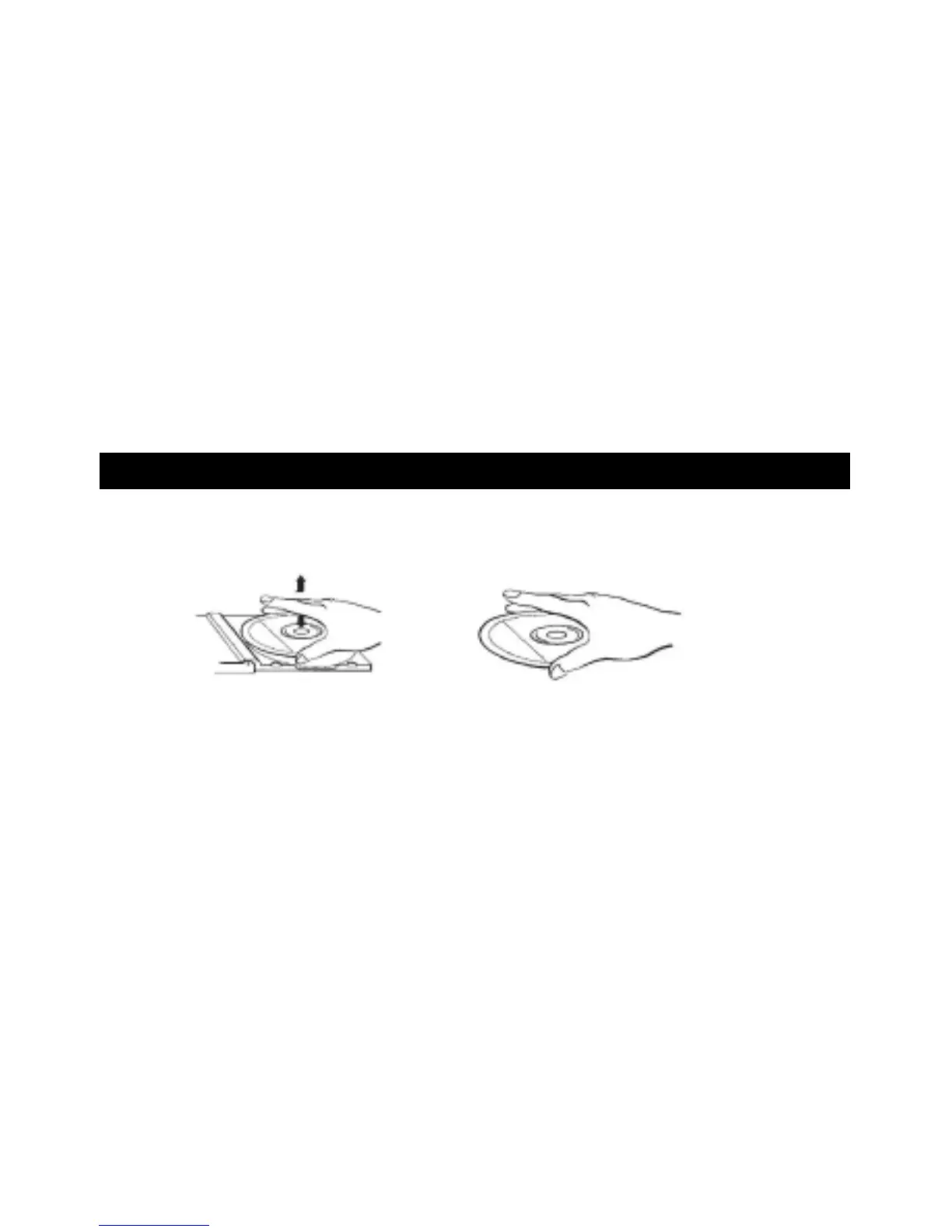
HANDLING COMPACT DISCS
To remove a disc from its storage case, press down on the centre of the case and lift the
disc out, holding it carefully by the edges.
Fingerprints and dust should be carefully wiped off the disc\s recorded surface with soft
cloth. Unlike conventional records, compact discs have no grooves to collect dust and
microscopic debris so gently wiping with a soft cloth should remove most particles. Wipe in
a straight line from the inside to the outside of the disc. Small dust particles and light stains
will have absolutely no effect on reproduction quality.
Never use chemicals such as record sprays, antistatic sprays, benzine, or thinners to clean
compact discs. These chemicals can damage the disc\s surface. Discs should be returned
to their cases after use. This avoids serious scratches that could cause the Laser pickup to
skip.
Do not expose discs to direct sunlight, high humidity, or high temperatures for extended
periods. Long exposure to high temperatures can warp the disc.


 To Next Page