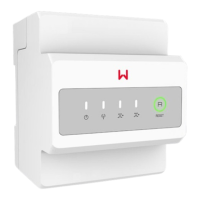
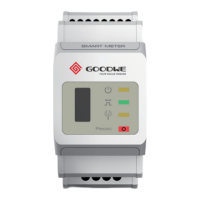
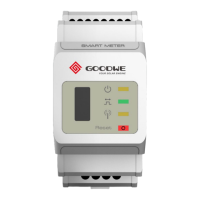
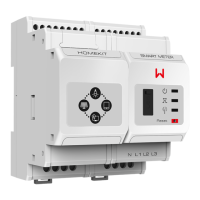
The GoodWe Smart Meter (models GMK120, GMK140, GM330) is a device designed for power control at the grid-connection point, primarily used in solar energy systems. It provides monitoring data for energy yield and electricity consumption, though it's important to note that this data is for reference only and not for calculating electricity fees, which are subject to the grid company's meter.
Function Description
The Smart Meter measures voltage, current, and energy (active and reactive) to facilitate power control and monitoring within a solar power system. It integrates with hybrid inverters, AC-coupled inverters, or grid-tied PV inverters, depending on the model, and communicates via an RS485 interface. The device helps manage the flow of electricity between the house, loads, and the utility grid, providing insights into energy consumption and generation.
Important Technical Specifications
General:
- Models: GMK120 (single-phase), GMK140 (single-phase), GM330 (three-phase).
- Dimensions (L x W x H): 85 x 72 x 72mm (3.35 x 2.83 x 2.83in).
- Weight: 240g (0.53lb).
- Installation: Rail installation.
- Protection Class: IP20.
- Power Consumption: ≤5W.
Input (Grid):
- Frequency: 50/60Hz.
- Voltage Range: 0.88Un-1.1Un.
GMK120/GMK140 (Single-phase/Split-phase/Three-phase (3-wire, L/L ≤ 265Vac) / Three-phase (4-wire, L/N ≤ 265Vac)):
- Rated Voltage: 208V, 120V / 240V.
- Rated Current: 200A.
- Current Range: 0-200A.
GM330 (Three-phase (3-wire, L/L ≤ 576Vac) / Three-phase (4-wire, L/N ≤ 520Vac)):
- Rated Voltage: 277V/480V.
- Rated Current: 5A (MAX).
- Current Range: 0-5A.
Measurement Precision:
- Voltage/Current: 0.5 level.
- Active Energy: 0.5 level.
- Reactive Energy: 1 level.
Communication:
- Interface: RS485, Modbus-RTU.
- Communication Distance: 1000m (using shielded twisted-pair cables).
Environmental Parameters:
- Working Temperature: -30°C to +70°C (-22°F to +158°F).
- Storage Temperature: -30°C to +70°C (-22°F to +158°F).
- Relative Humidity: 0%-95%, non-condensing.
- Altitude: ≤ 3000m (9842ft).
Usage Features
Installation:
- Mounting: The device is designed for rail installation, suitable for indoor use or within a distribution box. For outdoor installation, a waterproof cover is required.
- Cable Connections: The Smart Meter requires careful wiring of input power cables, CT (Current Transformer) cables, and RS485 communication cables.
- Input Power Cable: Recommended cross-sectional area is 1mm² (18AWG).
- CT Cables: For GMK120/GMK140, CT cables can be cut or extended (1-30m recommended length, 1.6mm² (15AWG) cross-sectional area). For GM330, specific CTs are used, and their specifications (nA/5A ratio, 0.5/0.5s/0.2/0.2s precision, bore diameter larger than AC power cable) must be met. The CT direction is crucial: House-->Grid.
- RS485 Cables: Shielded twisted-pair cables are recommended for communication.
- Waterproof Box (Optional): For enhanced protection, especially in outdoor or humid environments, a waterproof box can be installed. Holes for cables should be drilled at the bottom to maintain waterproof integrity.
- Safety Precautions: All installations must be performed by trained technicians familiar with local standards and safety regulations. Additional circuit breakers are recommended on the voltage input side, and a 0.5A fuse is suggested to protect against long-term overvoltage (exceeding 265V).
Operation:
- Indicators: The device features four LED indicators:
- Power Light: Steady on (power on, no RS485 communication), Blinking (power on, RS485 communication works properly), Off (power off).
- Communication Light: Blinking (after pressing the Reset button for >5 seconds, indicates power light, buying or selling electricity indicator light flash, prompting a meter reset).
- Buying or Selling Electricity Indicator Light (1): Steady on (purchasing from utility grid), Blinking (selling to utility grid), Off (no purchasing or selling).
- Buying or Selling Electricity Indicator Light (2) (Only for GMK360): Functions similarly to indicator (1).
- Reset Button: Used to reset the meter, indicated by the communication light blinking.
- CT Ratio Setting (GM330): The CT's turns ratio can be set via the SolarGo App (e.g., 40 for a 200A/5A CT).
Maintenance Features
General Safety:
- Power Off: Always power off the smart meter before any operations or maintenance to prevent electric shock or damage. This involves turning off the breaker on the voltage input side and removing terminals.
- PPE: Wear proper Personal Protective Equipment (PPE) before any operations.
Storage:
- Environment: If not installed immediately, store the equipment in a clean place with appropriate temperature and humidity, ensuring no condensation. Do not unpack the outer package or remove the desiccant.
- Long-term Storage: If stored for a long time, the smart meter should be checked by professionals before use.
Removing the Smart Meter:
- Disconnection: Disconnect all cables (input power, CT, RS485 communication).
- Removal from Rail: Press the buckle at the bottom of the device to detach it from the rail.
- Storage: Store the smart meter properly, ensuring storage conditions meet requirements if it is to be used later.
Disposal:
- Electrical Waste: If the smart meter is no longer functional, dispose of it according to local requirements for electrical equipment waste. It should not be disposed of with household waste.

 Need help?
 General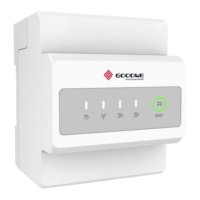

 To Next Page