6
1 – 2. External MIDI connection
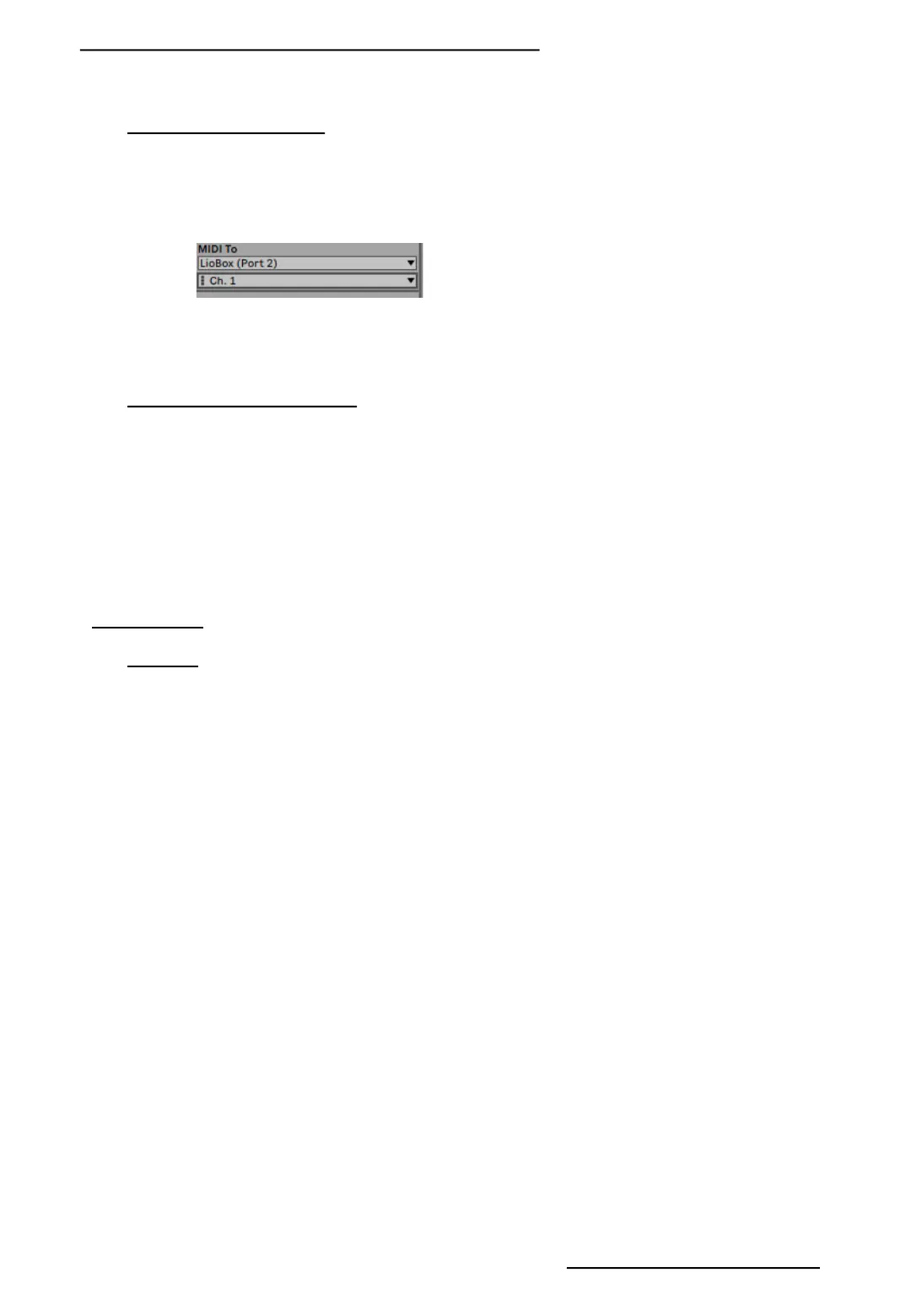
The LIO BOX integrates a second virtual MIDI port in which you can pass thru midi information (note, CC, PG
change) from Ableton to an external instrument.
All you have to do is select port 2 of the LIO BOX and assign it to your MIDI track.
To connect the external instrument, all you need to do is directly use a 3.5 mm jack cable or a MIDI DIN to 3.5
mm jack adapter
1 – 3. Cable choice recommandation
As the LIO BOX is part of USB powered MIDI controllers, we recommend that you do not exceed the length of
1.5m for your USB2 cables.
For the choice of cables, we recommend cables with the reference AWG24 X2 or / 2C, which corresponds to a
power cable section of 0.5 mm
The presence of ferrite will guarantee better isolation and signal transmission.
For DIN MIDI cables, we recommend that you do not exceed 10m for DIN connector cables.
2 – FRONT FACE
2 – 1. PADS
The LIO BOX has 6 backlit, silicone PADS on clickable button.
MENU: Enter the LIO BOX menu and access the settings and setlist functions. When you are in the menus,
pressing the PAD MENU will take you back to the home screen.
BACK: Return to the previous menu.
PLAY: Launch the next selected track. By default, after launching a track, the LIO BOX automatically selects the
next track in the list.
RW: Holding on initiates Ableton’s Rewind.
The double click restart the current track.
One click increase the next track.
FW: Holding on initiate Ableton’s Fast forward.
One click decrease the next track.
PAUSE: Pause playback. A second press, resume playing.
The quick double press sends a STOP to Ableton and place on the first beat (1.1.1).
Copyright © 2021 GOOROO CONTROLLERS. Tous droits réservés


 To Next Page