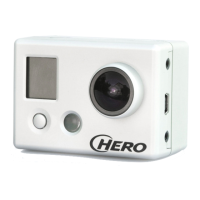
Things to do before you begin recording
1. Know how to remove GoPro from black hard casing
a. Push inward and upward on the arrow located on the top of the casing
b. Pull the screen-side frame backward
c. Push camera out screen first
2. Mounting GoPro
a. The mounting piece is attached to the bottom of the hard case
b. Included with the GoPro is a three point camera stand
c. At the top of the three point stand, push in on the two side rectangular pieces
d. Insert the bottom of GoPro hard case and release rectangular pieces
e. No addition mounts for GoPro are provided
3. Charging
a. Remove casing
b. While looking at the lens, on the right side there will be a rectangular button
i. Push it in and slide piece down
c. Insert USB cord into a USB adapter (computer, wall, portable charger)
d. Insert opposite end into GoPro charging slot
e. While charging a red light should appear on left side of the screen
4. Obtain a Memory Card
a. To know what kind of memory card you need visit:
https://gopro.com/help/articles/block/microSD-Card-Considerations
b. Remove Casing
c. On the bottom of the GoPro there is a rectangular button (similar to the one for
charging)
i. Push it in and slide piece out
d. Insert memory card here
i. Label side facing touch screen
*Have you done these steps? If yes, you are ready to record!



 To Next Page