10 11
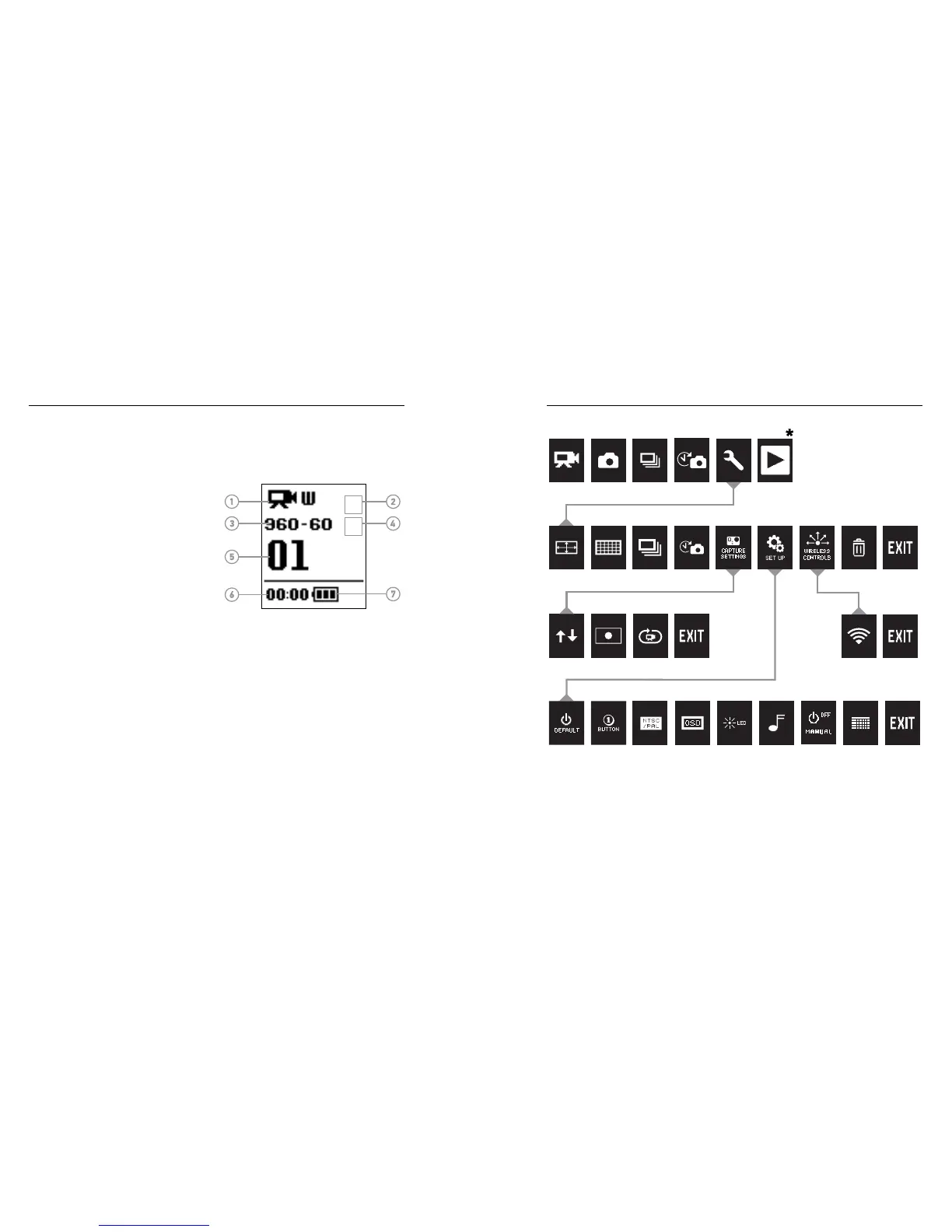
The camera status screen displays the following information about
HERO3+ Silver modes and settings:
1. Camera Modes/FOV
(field of view)
2. Capture Setting Modes
(not shown)
3. Resolution/fps
(frames per second)
4. Time Interval Settings
(not shown)
5. Counter
6. Time/Storage/Files
7. Battery Life
Note: The icons that appear on the camera status screen vary by mode.
MODES
CAMERA SETTINGS
CAPTURE SETTINGS WIRELESS
SET UP
/ Camera Menus
*Playback appears only if the camera is connected to a TV or LCD Touch BacPac (optional accessory,
sold separately).
/ Camera Status Screen














 To Next Page