14 15
POWERING ON + OFF
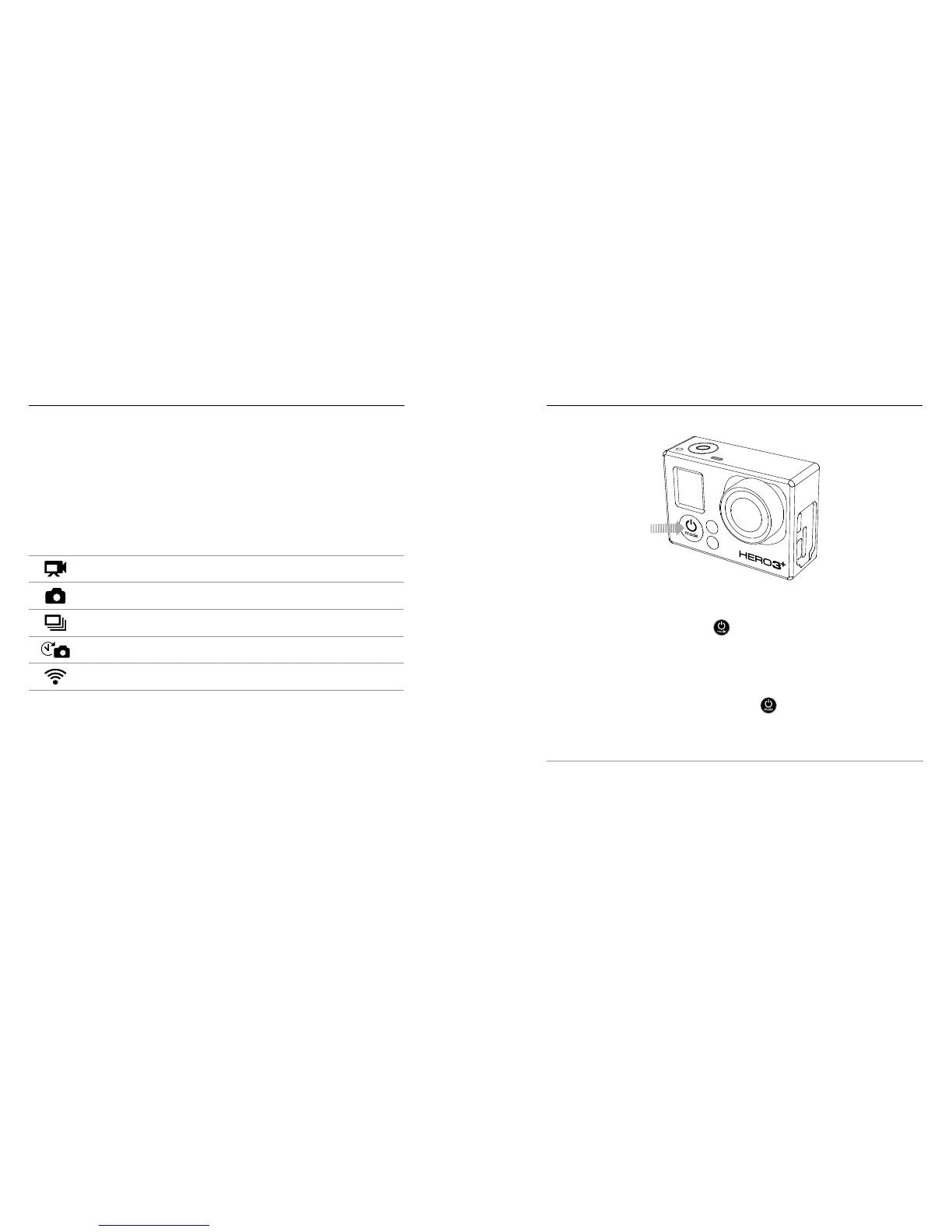
To Power On:
Press the Power/Mode button [ ]. The red camera status lights flash
three times and the sound indicator emits three beeps. Once the camera
status screen displays information, your camera is on.
To Power Off:
Press and hold the Power/Mode button [ ] for two seconds. The red
camera status lights flash several times and the sound indicator emits
seven beeps.
PRO TIP: Want to turn your HERO3+ into a one-button camera that
automatically starts recording video or Time Lapse photos when it
turns on? See One Button for more information.
/ Getting Started
CAMERA SOFTWARE UPDATES
To get the latest features and best performance from your HERO3+ Silver
camera, make sure you’re using the most current camera soware.
You can update your camera soware via the GoPro App, GoPro
soware or at gopro.com/getstarted.
CAMERA DEFAULT SETTINGS
The HERO3+ Silver powers up with the following default settings:
Video 960p60 fps
Photo 10MP (megapixels)
Burst Photo 10 photos in 1 second
Time Lapse 0.5 seconds
Wireless Off
To change your Video or Photo settings, see Camera Settings.
/ Getting Started















 To Next Page