EasyManua.ls Logo

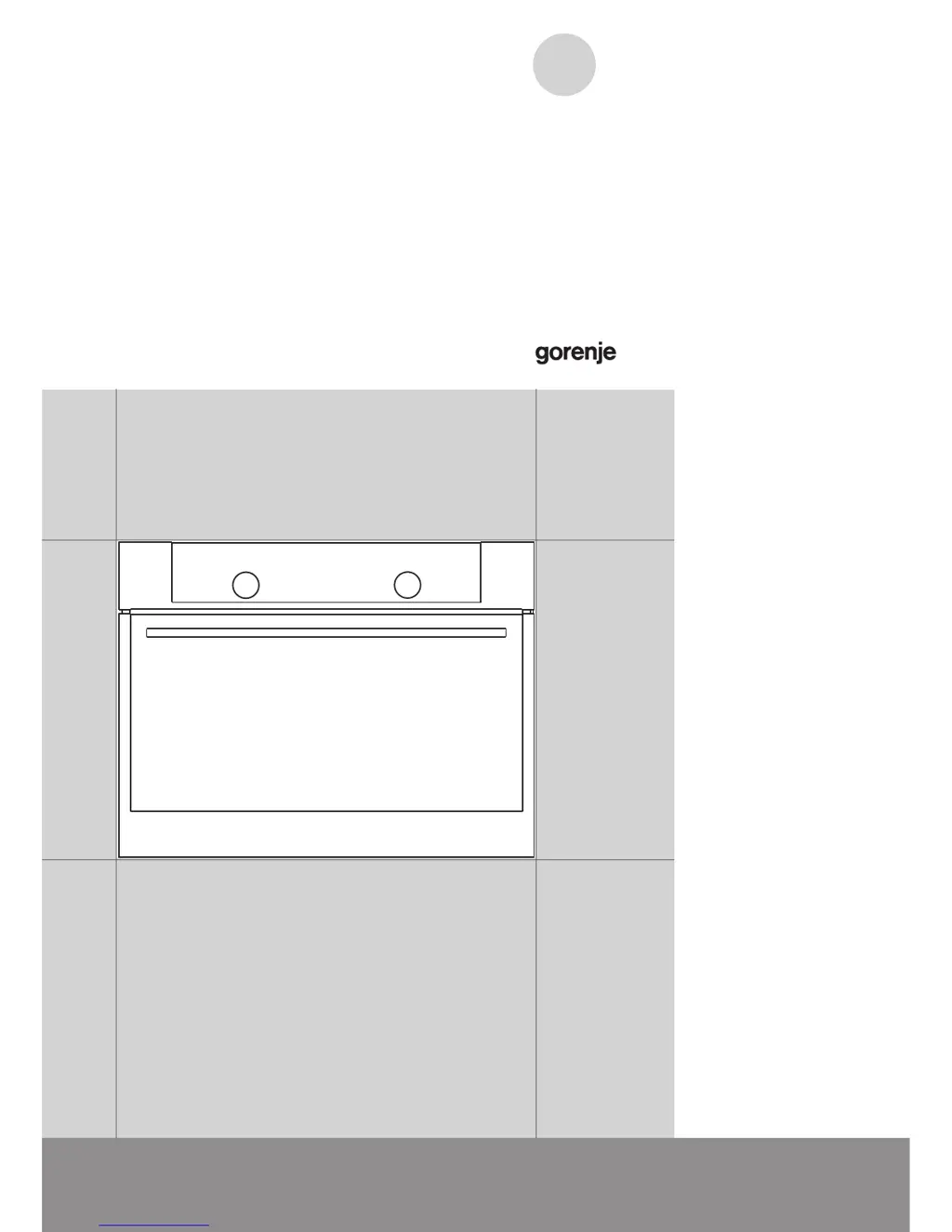
Gorenje BCM547S12X - User Manual

Gorenje BCM547S12X
52 pages
Print Icon
To Next Page IconTo Next Page
Loading...
EN
DETAILED
INSTRUCTIONS FOR USE
OF A COMBINED
MICROWAVE OVEN
www.gorenje.comwww.gorenje.com

Questions and Answers

  • M
    Marissa AlexanderAug 2, 2025
    What to do if pastry is underdone in Gorenje Microwave Oven?
    • M
      Meghan MorganAug 2, 2025
      If your pastry is underdone when using the Gorenje Microwave Oven, make sure you have selected the correct temperature and heating system. Also, check that the oven door is fully closed.
  • K
    kathryncollinsAug 8, 2025
    What to do if my Gorenje Microwave Oven displays an error code?
    • C
      Claudia SchwartzAug 9, 2025
      If an error code (E1, E2, E3, etc.) appears on your Gorenje Microwave Oven, it indicates an issue with the electronic module. To resolve this, disconnect the appliance from the power for a few minutes, then reconnect it and set the time. If the error persists, it is recommended to call a service technician.
  • S
    Susan MccallAug 14, 2025
    Why are there sparks in my Gorenje BCM547S12X?
    • J
      jacqueline67Aug 14, 2025
      If you notice sparks inside your Gorenje Microwave Oven, ensure that all light covers are properly fastened and that all spacers are correctly fitted on the wire guides. Also, verify that the wire guides are correctly placed within the appliance.
  • J
    josecabreraAug 20, 2025
    How to fix a frozen display on a Gorenje BCM547S12X?
    • M
      Matthew BatesAug 20, 2025
      If your Gorenje Microwave Oven sensors aren't responding and the display is frozen, disconnect the appliance from the power for a few minutes by either undoing the fuse or switching off the main switch. Then, reconnect the appliance and switch it back on.
  • R
    Richard HansonAug 27, 2025
    Why does my Gorenje BCM547S12X Microwave Oven keep tripping the main fuse?
    • A
      Ariel AdamsAug 27, 2025
      If the main fuse in your home trips often when using the Gorenje Microwave Oven, it's recommended to call a service technician.

Summary

Combined Microwave Oven Overview

Oven Components and Features

Description of oven parts like wire guides, door switch, and cooling fan.

Oven Equipment and Accessories

Details on glass baking dish, grid, shallow and deep baking trays.

Technical Specifications

Information on voltage, power, frequency, and rating plate location.

Control Unit Layout and Functions

Overview of the control panel, buttons, keys, and display elements.

Important Safety Instructions

General Safety Precautions

Warnings about appliance heat, supervision, and electrical safety.

Safe Microwave Oven Operation

Guidelines for safe use, handling of hot items, and warnings for children.

Pre-Connection Safety Advice

Instructions to read before connecting, and warnings about repair and power cords.

First-Time Appliance Preparation

Initial Setup and Microwave Function

Steps for initial cleaning and an explanation of microwave functionality.

Cooking Process Steps

Step 1: Switching On and Setting Clock

Initial appliance setup, including setting the time of day and standby mode.

Step 2: Choosing a Cooking System

Guide to selecting different cooking modes and their descriptions.

Step 3: Adjusting Temperature and Power

Setting cooking temperature and microwave power levels for selected systems.

Timer Functions for Cooking

Utilizing timer functions for cooking duration, delayed start, and minute minder.

Step 4: Selecting Additional Functions

Activating features like child lock, oven lighting, acoustic signal, and display contrast.

Steps 5 & 6: Starting and Switching Off

Procedures for starting the cooking process and safely switching off the oven.

Cooking Systems and Tables

Conventional Baking Modes

Details on Rapid Preheat, Upper/Bottom Heater, and pastry baking.

Grilling and Roasting Systems

Information on Grill, Grill with Fan, Hot Air, and Hot Air/Bottom Heater modes.

Specialized and Automatic Functions

Functions like Plate Warmer, Eco Cooking, Aqua Clean, and Automatic Defrosting.

Microwave and Combined Cooking

Using microwave-only, combined hot air/microwave, and microwave systems.

Cooking Specific Food Types

Guides for cooking rice, pasta, reheating, meat, and desserts.

Maintenance and Cleaning

Surface Material Cleaning

Instructions for cleaning aluminium, stainless steel, and plastic surfaces.

Oven Interior Cleaning Methods

Procedures for conventional oven cleaning and using the Aqua Clean function.

Component Care and Replacement

Steps for cleaning wire guides and replacing the oven light bulb.

Troubleshooting Guide

Product Disposal Information

Cooking Test Results

Conventional Baking Test Results

Test data for various dishes using conventional baking.

Grill Cooking Test Results

Test data for dishes cooked using the grill function.

Microwave Cooking Test Results

Test data for dishes cooked using microwave functions.

Gorenje BCM547S12X Specifications

General IconGeneral
Oven size-
Oven typeElectric
Number of ovens1
Total oven power- W
Number of shelves2 shelves
Convection cookingYes
Total oven(s) interior capacity50 L
Noise level- dB
Control typeRotary
Product colorBlack, Stainless steel
Control positionTop front
Clock typeElectronic
Connected load3400 W
Energy consumption (conventional)- kWh
Package depth680 mm
Package width635 mm
Package height541 mm
Weight and Dimensions IconWeight and Dimensions
Depth546 mm
Width595 mm
Height455 mm
Weight33800 g
Installation compartment depth550 mm
Installation compartment width560 mm
Installation compartment height450 mm

Related product manuals