EasyManua.ls Logo

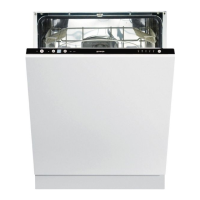
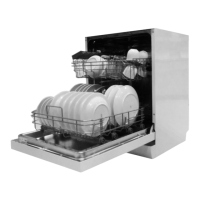
Gorenje GV671C60 - User Manual

Gorenje GV671C60
36 pages
Print Icon
To Next Page IconTo Next Page
Loading...
Operating instructions
Dishwasher
GV671C60

Questions and Answers

  • K
    Katherine CoxAug 21, 2025
    What to do if water remains in Gorenje Dishwasher?
    • A
      Alfred ShawAug 21, 2025
      If water remains in your Gorenje Dishwasher, start by cleaning the coarse and fine filters, and ensure they are correctly fitted and the filter handle is locked. Check the drainage pump for debris and make sure the coloured stop is in place at the bottom drain. Inspect the drainage hose for kinks or blockages, ensuring it's properly connected to the sink unit's water trap with an inner diameter of at least 14 mm.
  • J
    Joshua SotoAug 23, 2025
    Why are there spots or films on dishes in Gorenje Dishwasher?
    • J
      Jason BakerAug 23, 2025
      Spots or films on dishes in your Gorenje Dishwasher can be due to several reasons. Check that the salt compartment lid is properly tightened to prevent leaks from the water softener. Verify that the water softener and rinse aid dosage settings are correct. Ensure the salt compartment is full. If using 3-in-1 detergent, deactivate the TAB setting and add salt and rinse aid separately. High temperatures and excessive detergent can etch crystal, so wash crystal at a low temperature with less detergent.
  • J
    James CookAug 26, 2025
    How to get rid of bad odor in Gorenje Dishwasher?
    • J
      jcarlsonAug 26, 2025
      A bad odour in your Gorenje Dishwasher may be due to dirt around the seals and in corners; clean these areas with a washing-up brush and a low-foaming cleaner. Prolonged use of low-temperature programs can also cause this issue, so run a program with a higher temperature about once a month or select the self-cleaning program.
  • S
    Shawn MuellerAug 27, 2025
    Why Gorenje GV671C60 Dishwasher buttons do not react?
    • C
      Christian ShannonAug 28, 2025
      If the buttons on your Gorenje Dishwasher aren't responding, wait a moment and try again, especially if you've just opened the door. Ensure the buttons are clean and dry. The buttons only work when the door is open. Also, verify that the baskets are correctly positioned horizontally and that dishes are not blocking them from sliding properly into place.
  • Z
    Zachary PerezAug 30, 2025
    How to prevent spots on stainless steel or silver in Gorenje GV671C60?
    • T
      Tara BrownAug 30, 2025
      Spots on stainless steel or silver in your Gorenje Dishwasher can be caused by certain foods like mustard or lemon if left for too long; rinse these off before washing. Contact between different metals like stainless steel and silver can also cause spots. Separate dishes made from different metals to avoid marks.
  • B
    Brad GambleSep 1, 2025
    How to remove grease deposits in Gorenje Dishwasher?
    • J
      jtannerSep 1, 2025
      Grease deposits in your Gorenje Dishwasher often result from prolonged use of low-temperature programs. To resolve this, occasionally run a program with a high temperature, such as Intensive wash, to dissolve grease. Alternatively, use the self-cleaning program.
  • D
    donna07Sep 3, 2025
    Why is my Gorenje GV671C60 Dishwasher making a rattling sound?
    • D
      deanna48Sep 3, 2025
      A rattling sound in your Gorenje Dishwasher during operation usually means the dishes aren't placed securely or the spray arms are obstructed. Check that the dishes are placed securely and spin the spray arms to ensure they can rotate freely.
  • R
    Robert MillerSep 5, 2025
    How to fix Gorenje GV671C60 Dishwasher error F12?
    • P
      Paul BeckSep 5, 2025
      If your Gorenje Dishwasher displays error code F12, check that the water tap is turned on. Also, inspect the outer filter on the inlet hose for any blockages. If blocked, clean the inlet hose filter.
  • L
    Logan EdwardsSep 7, 2025
    Why Gorenje GV671C60 leaves sticky white/blue film on dishes?
    • K
      Kristen MeadowsSep 7, 2025
      A sticky white or blue film on dishes from your Gorenje Dishwasher indicates the rinse aid dosage is too high. Reduce the amount of rinse aid. If you have very soft water, dilute the rinse aid 50:50 with water.
  • W
    Walter Atkins MDSep 9, 2025
    What does error F67 mean on Gorenje Dishwasher?
    • U
      uayalaSep 9, 2025
      If your Gorenje Dishwasher shows error code F67, check that the water tap is on. Also, inspect the outer filter on the inlet hose for any blockages and clean the inlet hose filter.

Summary

Dishwasher Overview and Controls

Control Panel Overview

Identifies main power switch, programs, display, and time functions.

Program Selection Guide

Details available wash programs like Eco, Auto wash, Intensive wash, etc.

Program Options Explained

Explains options such as SpeedWash, Auto open, Extra hygiene, Delayed start.

Cycle Management

Covers starting, stopping, changing programs, and handling power failures.

Safety, Initial Setup, and Loading

Essential Safety Precautions

Outlines essential safety rules for using the dishwasher and handling detergent.

Initial Setup and Water Hardness

Steps for checking water hardness and setting the built-in water softener.

Adding Detergent, Salt, and Rinse Aid

Procedures for filling the detergent, salt, and rinse aid compartments.

Proper Dishwasher Loading

Guidance on arranging dishes for optimal cleaning and drying.

Efficient Dishwashing and Settings

Water and Energy Saving Tips

Advice on reducing consumption, like using Eco program and full loads.

Basket and Cutlery Tray Usage

Instructions for utilizing the upper, lower, and cutlery baskets effectively.

Detergent Usage and Dispensing

Details on detergent types, compartment use, and dosage recommendations.

Advanced Settings Configuration

How to access and adjust settings like rinse aid dosage and water hardness.

Care, Cleaning, and Troubleshooting

Maintaining Salt and Rinse Aid Levels

Steps for refilling and ensuring proper levels in dispensers.

Cleaning Filters and Spray Arms

Instructions for cleaning filters and spray arms for optimal performance.

Clearing Blockages

Steps to unblock drainage and inlet hose filters for uninterrupted operation.

Common Error Codes and Solutions

Diagnosing and resolving issues indicated by display fault codes.

Installation, Service, and Technical Data

Installation Requirements and Connections

Details on electrical, water, and drainage connections for installation.

Service and Support Information

Guidance on contacting service for unresolved issues and warranty.

Technical Specifications

Key dimensions, water pressure, and electrical connection details.

Consumer Information Resources

Links and contact points for product information and testing data.

Gorenje GV671C60 Specifications

General IconGeneral
Door colorWhite
Product sizeFull size (60 cm)
Custom panel-readyYes
Appliance placementFully built-in
Wi-Fi controlledNo
Cycle time205 min
Noise level42 dB
AquaStop function-
Number of place settings16 place settings
Number of washing programs5
Package depth665 mm
Package width640 mm
Package height890 mm
Package weight32300 g
Energy efficiency scaleA to G
Water consumption per cycle9.6 L
Energy consumption per cycle0.76 kWh
Weight and Dimensions IconWeight and Dimensions
Depth556 mm
Width596 mm
Height817 mm
Weight30000 g

Related product manuals