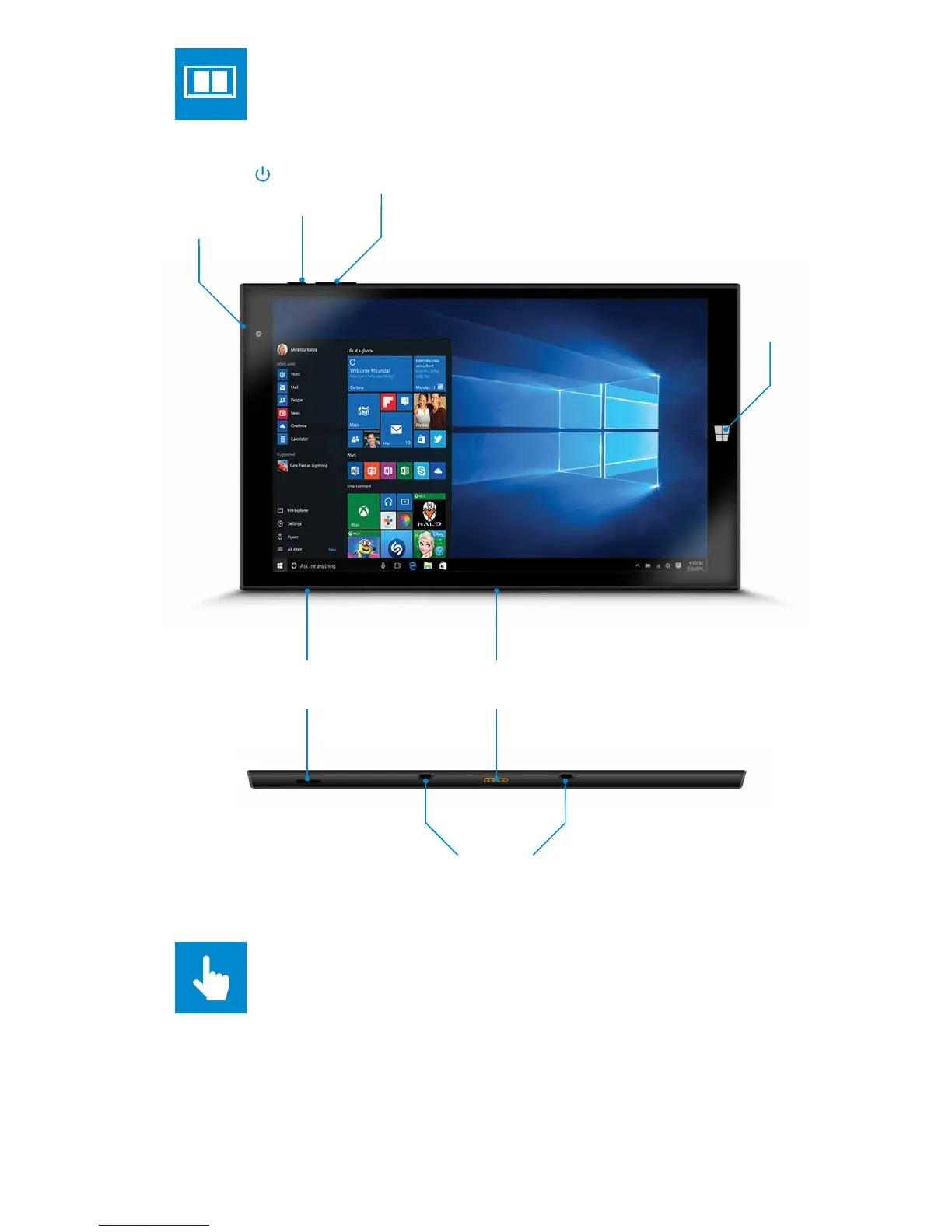
Power
Button
Micro SD Slot
Volume +/-
2MP
Selfie
Camera
MicroSD not included
ABOUT YOUR GOTAB
POGO Pin Connector
For Keyboard Dock*
Keyboard Docking Stands
Start
Button
TOUCHSCREEN
The GoTab has a multi-touch screen so you can, touch, tap, swipe, and
pinch-to-zoom- its sensitive and only needs a delicate touch.
Don't use any sharp or pointed instruments to use the touchscreen as this
could damage the screen and invalidate your Guarantee.
You can use a “capacitive” stylus (not included) to control the screen.


 To Next Page