Menu
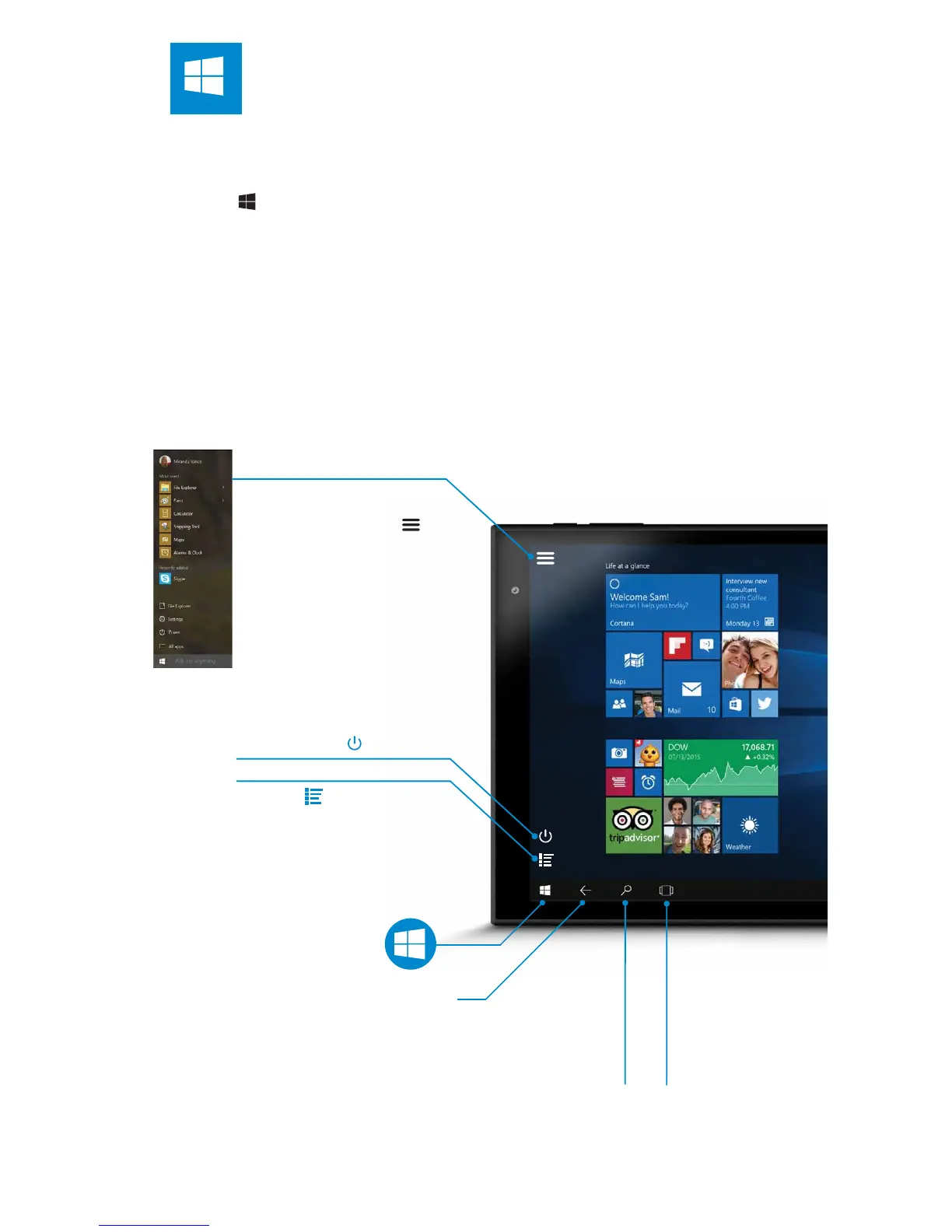
When Start is in Tablet
Mode, select Menu
in the top left-hand
corner of the screen to
get to your account
picture, the All apps
and Most used list, and
the power button.
START SCREEN
The main home screen is where all of the main app tiles will be located.
From here you can select applications to run or open further menus to
browse your les, change the setting or start basically everything! Just tap
on the Start Menu button located in the bottom-left of the screen, or on
the front touchpanel of the GoTab
To customise your Start screen, press & hold screen app tiles, then drag
and drop tiles where you want them.
To ’multi-task’ and see a list of all open apps swipe in from the left edge of
the screen.
All Apps
Tap to view all
your apps
Battery Level
Go Back
View open
and switch
apps
Tap for
Cortana
Assistant
Power Button
Start


 To Next Page