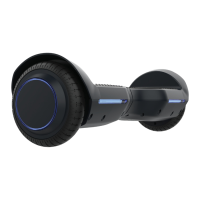
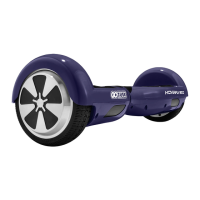
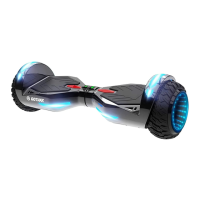
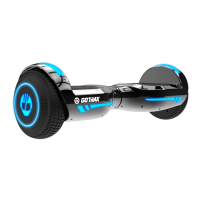
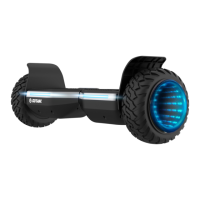
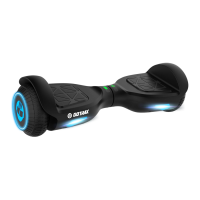
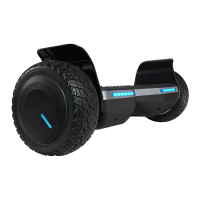
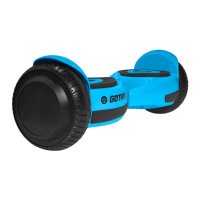
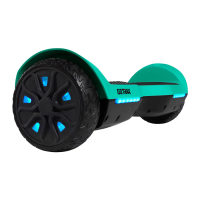
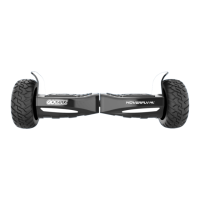
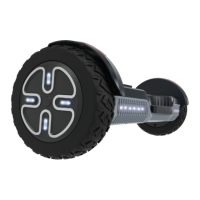
The GoTrax Flash is a "smarter hoverboard" designed for personal transportation, offering a blend of intuitive control and essential safety features. This user manual provides comprehensive guidance on its operation, maintenance, and troubleshooting, ensuring a safe and enjoyable riding experience.
Function Description
The GoTrax Flash is a self-balancing electric scooter, commonly known as a hoverboard. Its primary function is to provide a personal mobility solution for short distances on smooth, flat surfaces. Riders control the hoverboard's movement, including acceleration, deceleration, and turning, through subtle shifts in body weight and foot pressure on the integrated foot pads. The hoverboard is equipped with internal gyroscopes and sensors that detect these shifts, translating them into motor commands to maintain balance and execute desired movements. It is designed for individual use and is not intended for off-road conditions or extreme maneuvers.
Usage Features
The GoTrax Flash emphasizes user-friendly operation and safety. Before riding, it is crucial to read and understand all instructions and warnings provided in the manual.
Getting Started:
- Unpacking: Upon receiving the hoverboard, users should carefully unpack all components, which include the hoverboard itself and an approved power adapter/charging unit. It's important to inspect all items for any damage that may have occurred during shipping.
- Charging: Before initial use, the hoverboard's battery must be fully charged. The charging process involves inserting the charging plug into the designated port on the hoverboard. The charger box features an indicator light: a red light signifies that the hoverboard is currently charging, while a green light indicates a full charge. Using only the approved GoTrax power adapter is critical to prevent fire risks or equipment damage.
- Powering On/Off: The hoverboard is powered on and off by pressing and holding a silver button located on the back of the device for approximately 1 second.
Riding the Hoverboard:
- Mounting: To begin riding, users should mount the hoverboard from the rear, which can be identified by the power button and charging port. The hoverboard should be placed on the ground directly in front of the rider's feet. The rider then steps onto one foot pad, followed quickly by the second foot, ensuring both feet are firmly on the platforms.
- Acceleration (Forward/Backward): To accelerate forward, the rider gently pushes down with their toes, leaning slightly forward as the board gains speed. For backward acceleration, the rider gently lifts their toes, leaning backward. The hoverboard's self-balancing system will adjust to these subtle weight shifts.
- Turning (Right/Left): To turn right, the rider pushes gently down with their left toes, shifting their weight to the right. Conversely, to turn left, the rider pushes gently down with their right toes, shifting weight to the left.
- Stopping: To slow down and stop, the rider should return to an upright position, ensuring their weight is evenly balanced over both foot pads.
- Dismounting: Always dismount from the back of the hoverboard to maintain stability and prevent falls.
Safety Guidelines:
- Helmet Use: Always wear a helmet when riding the hoverboard to protect against head injuries.
- Battery Level: Ensure the hoverboard has a full battery before embarking on a ride to avoid unexpected power loss.
- Local Laws: Riders must be aware of and follow all local road laws and regulations pertaining to personal mobility devices.
- Impairment: Never ride the hoverboard under the influence of drugs or alcohol, as this severely impairs judgment and reaction time.
- Pedestrian Respect: Always show respect for pedestrians, yielding the right of way and maintaining a safe distance.
- Wet Conditions: Avoid riding in wet conditions. Water can cause the hoverboard to slide, leading to injury, and can also damage the internal electronics, voiding the warranty.
- Age Restriction: The hoverboard should never be used by children under the age of 5.
- Load Limit: Never exceed the maximum load rating of 88 lbs (approximately 40 kg) to ensure safe operation and prevent damage to the device.
- Moving Parts: Keep hands and all body parts away from moving parts while operating the hoverboard.
- Pre-Ride Check: Before each ride, perform a quick check of the hoverboard to ensure it is operating correctly.
- Terrain Awareness: Be mindful of the terrain when riding. The hoverboard performs best on smooth surfaces such as carparks, smooth roads, and footpaths. Watch out for curbs, obstacles, and uneven surfaces that could cause instability or falls.
Warning Messages:
- Water Damage: The hoverboard is not waterproof. Any damage caused by water is not covered under warranty. Riding in wet conditions is dangerous and can lead to injury.
- Abuse: Physical damage resulting from negligent care or extreme riding is not covered by the warranty.
- Risk of Injury/Death: Riding the GoTrax Hoverboard carries an inherent risk of severe injury or even death due to loss of control, collisions, and falls. Riders are advised to use caution and ride at their own risk.
- Modifications: Do not modify the product from its original manufacturer's design, as this can compromise safety and performance.
Overheat Alarm:
- The hoverboard is equipped with an overheat alarm. If the motor temperature reaches a high level after prolonged high-speed running, the hoverboard will start beeping and move very slowly.
- If the overheating continues, the control system will automatically cut off power to protect the motor from damage.
- When the overheat alarm sounds, riders should immediately stop riding and allow the motor to cool down before resuming use.
Low Battery Indicator:
- When the hoverboard's battery is low and nearing depletion, it will emit a beeping sound, and the LED lights will flash red.
- Upon hearing the beeps and seeing the red LED light, the rider should dismount the hoverboard and charge it promptly.
Maintenance Features
Regular cleaning and maintenance are essential to extend the life of the GoTrax Flash hoverboard.
Cleaning and Storage:
- Cleaning: If the hoverboard becomes dirty, it should be wiped clean with a soft, damp cloth.
- Prohibited Cleaning Agents: Do NOT use alcohol, gasoline, kerosene, or other corrosive chemical solvents to clean the hoverboard. These substances can severely damage the appearance and structural integrity of the device.
- Pressure Washers: Avoid using a pressure washer, as it can damage the electronics.
- Storage Conditions: When not in use, store the hoverboard in a dry and cool location.
- Outdoor Storage: Avoid storing the hoverboard outdoors. Prolonged exposure to sun, UV rays, rain, and other elements can damage its appearance and reduce the lifespan of the battery and tires.
- Temperature Limits: Ensure the hoverboard and its power adapter are stored in conditions that do not exceed 104 degrees Fahrenheit (40 degrees Celsius) or fall below 32 degrees Fahrenheit (0 degrees Celsius).
- Approved Charger: Only use the approved GoTrax power adapter for charging. Using unauthorized chargers poses a risk of fire and equipment damage.
- Disposal: Improper disposal of used batteries can seriously pollute the environment. Always comply with local disposal regulations for batteries.
- User Serviceable Parts: The hoverboard contains no user-serviceable parts. Any prolonged exposure to UV rays, rain, and the elements can damage the enclosed materials. Always store the device indoors when not in use.
Troubleshooting (Calibration):
One of the most common solutions for hoverboard issues is calibration. The manual outlines a clear step-by-step process for calibrating the board:
- Start with the hoverboard powered off.
- Adjust the foot pedals until they are level with each other and the ground.
- Press and hold the power button for 10 seconds; the LED lights will flash.
- Press the power button to turn off the hoverboard.
- Press the power button to turn on the hoverboard. It should now be calibrated and ready for use.
- Note: It may be necessary to repeat this calibration process multiple times (e.g., 3 times in a row) for the calibration to fully take effect and reset the hoverboard.
Warranty and Support:
- Manual Updates: GoTrax frequently updates user manuals on their website, GOTRAX.com, and reserves the right to update and change manuals online.
- Customer Service: For problems, questions, or more detailed information, users are encouraged to contact the GoTrax customer service team, which can be reached via GOTRAX.com.
- Warranty Information: Specific warranty information is also available on GOTRAX.com.

 Need help?
 General

 To Next Page